▪ We expect to start shipping these soon.
▪ Free Shipping - this product ships free!

Please note that we are open by appointment only (except for click and collect pickups once notified ready).
There are two classic ways to solve the problem of bringing colour management to your editing and printing workflow - that is, to solve the problem of screen to print matching - if you're doing your own printing.
(If you are not, the solution is easy - get a high quality monitor, a high quality monitor calibrator, and print with a service that uses world class colour management!).
For your monitor profiling, you will definitely need your own calibrator, and typically it is suggested that you should re-calibrate your monitor every 200 hours of monitor usage (which is between one and two months for most people). Monitors drift through usage - this is simply a fundamental characteristic of all back-lighting technologies - so it's a process you need to repeat regularly to compensate for this drift.
Printer profiles, on the other hand, only really need to be made once, for each (printer + paper) combination. Printers just don't change their behaviour over time the way monitors do - they tend to be very stable for the lifetime of the printer's inkjet head, so a high quality profile stays valid, effectively in perpetuity.
An all in one profiling solution gives you the most flexibility to make profiles for your devices, whenever you like. This is a very convenient solution, and is particularly useful if you're the sort of person who likes to experiment a lot, with lots of different papers etc. The compromise is that the quality of the profiles these systems make is lower than the best quality of profile available.
Spectrophotometers are not great devices for reading very dark tones on monitors (as they usually work by projecting their own light and reading the strongly lit results, but when measuring monitors they can only measure the light emitted by the monitor, and deep shadows on monitors produce much lower signal levels than the spectro normally deals with). This leads to compromised monitor profiles, particularly in the accuracy of deep shadow tones.
On the printer profile side of things, you also get lower quality - these systems take an iterative 'two pass' approach to reduce the amount of sampling required (typically sampling about 100 tones), versus traditional profiling solutions, that sample thousands of tones. The result is surprisingly good - you do get good profiles from even this small amount of measurement. But it's also fair to say the profiles from these systems are only good, i.e. not really excellent.
We recommend this solution to people who like to get more experimental, and take control of their entire process.
The best of the lower priced all-in-one solutions is definitely the ColorChecker Studio.
The best quality approach comes from using a dedicated monitor calibrator, and our printing profiling service.
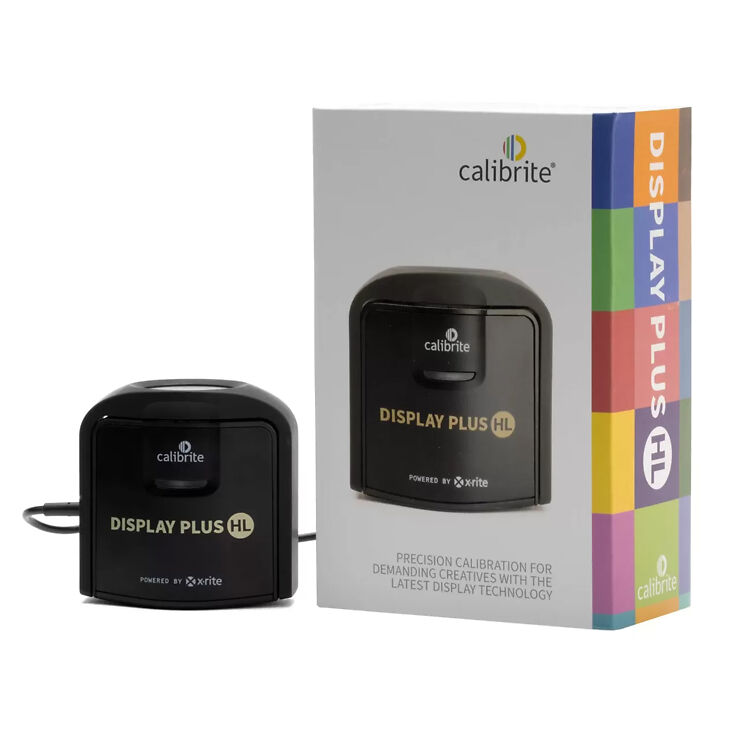
On the monitor side of things, dedicated monitor calibrators produce better calibrations - particularly in the deep shadow areas, which are the most difficult. The best option available at the moment - and designed to be compatible with future high contrast technologies, like OLED - is the Calibrite Display Plus HL.
Then, for your printer profile, you would use Image Science's custom printer profiling service.
This approach is undeniably less convenient - as you do have to wait a day or two for your printer profiles to be made. But given printer profiles last the lifetime of your printer (technically, your printer's head) - having your favourite papers profiled by Image Science will give you the best quality profiles available, and in general it makes sense to get the best possible profile made, just once, and then use that forever-more. The profile quality from our state-of-the-art system is considerably higher than what can be achieved with a simple all-in-one device.
Unless you're using a significant number of different papers, this better quality approach is actually cheaper, too - at less than $500 for the monitor side of things, then ~ $60 per printer profile. Long term, with a bunch of papers, you might end up spending the same or a bit more than an all-in-one, but you'll also have a significantly better quality solution.
We recommend this approach if the key thing you want is the best quality printing and screen-to-print match. And of course, the better your monitor, the better the results with screen to print matching. In particular, monitors that can be direct hardware calibrated are much, much better at doing hardware based soft-proofing than Photoshop's very primitive and not very accurate 'soft proofing' mechanism. We of course have a page with high quality monitor recommendations.
Hopefully the above has helped you make your choice.
If you're still feeling unsure, we can say that customer feedback over the years fairly strongly suggests the best way to go is the second (Highest Quality) option.
The loss of convenience is not really that much, and in general the base problem you're trying to solve is one of quality - and a little more time is worth it, to achieve the best possible results.
We've been making profiles for customers (and many print labs!) - around Australia (and indeed we get many targets from overseas, too!) - for over twenty years, with universally fantastic feedback.
If you really want to solve your colour management between screen and print, the best solution is a really good monitor, a really good monitor calibrator, and Image Science custom profiles for your favourite papers.