Calibrite ColorChecker Studio
[MPN: CCSTUDIO] [IS SKU: HC_CCSTUDIO]A completely integrated color control solution to calibrate your displays, projectors, scanners and printers!






Description
The professional level, start-to-finish color management solution built by Color Perfectionists for Color Perfectionists.
The ColorChecker Studio from Calibrite was created for photographers who love to shoot, scan, edit and print, but don’t love to waste time and money on the process. The award-winning and patented technology built into the ColorChecker Studio delivers precise, intuitive color management across your entire color workflow. The end result: prints that match your images across all your devices.
The ColorChecker Studio is a capture through print solution that takes your color-managed workflow to a new level of accuracy and control. Features include Printer Profiling for Black & White, Scanner Profiling, Mobile Device Profiling, Monitor Profiling for Video, plus a streamlined user experience within the amazing ColorChecker software software.
The enhanced and intuitive ColorChecker Studio software powered by X-Rite delivers the perfect balance of automation with a full range of creative controls for photographers, filmmakers and designers looking for more options and control over their color. You’ll be guided through every step with an expanded range of expert options to customize and fine-tune your workflow as desired.
ColorChecker Studio delivers a full suite of tools to calibrate and profile all your devices from capture to print. You’ll be confident that what you’ve captured in your camera or scanner and see on all your displays and mobile devices or projectors will match your final print output. And with the time you save you can get back to focusing on what you love – making more images.
Features:
ColorChecker Studio combines world-class hardware and software to deliver expert color results for photo and filmmaker pros. ColorChecker Studio includes:
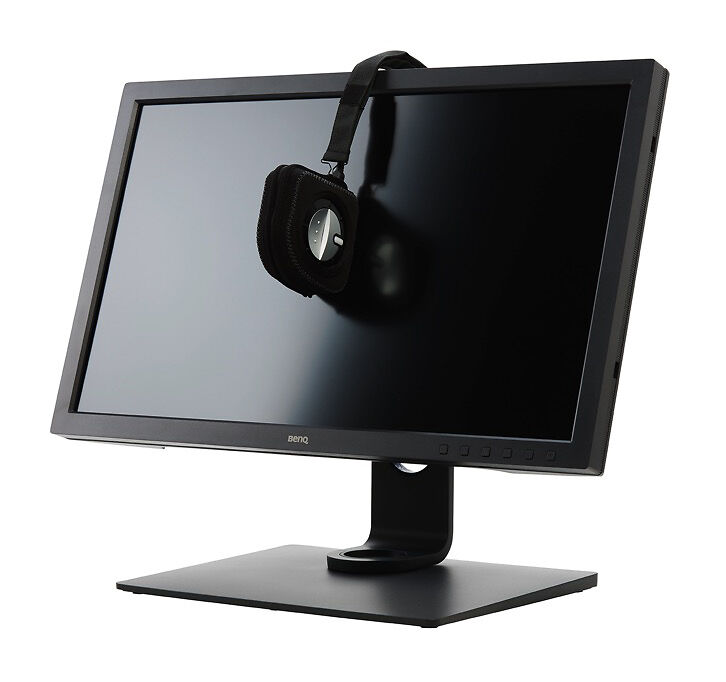
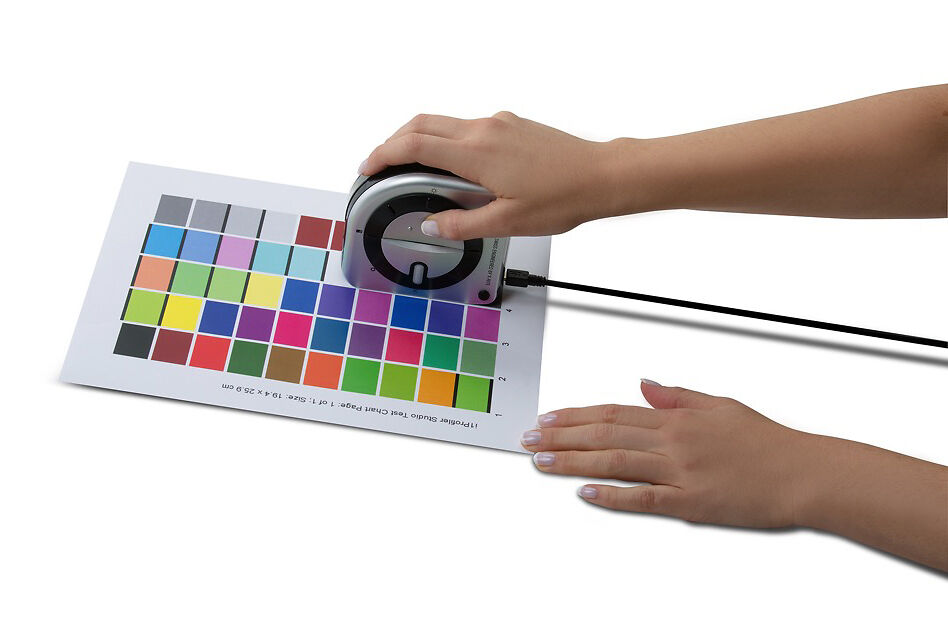
ColorChecker Studio Device: The award winning, patented, all-in-one ColorChecker Studio spectrophotometer is the only device you need to profile your monitors, projectors, scanners, mobile devices and printers. It is compact and easy to carry in it’s own protective bag so you are never without the means to create an expertly calibrated and profiled workflow whether at home, in studio or on the road. ccStudio software powered by X-Rite provides an easy to navigate interface that delivers expertly calibrated and profiled monitors (including video presets), projectors, scanners and printers.
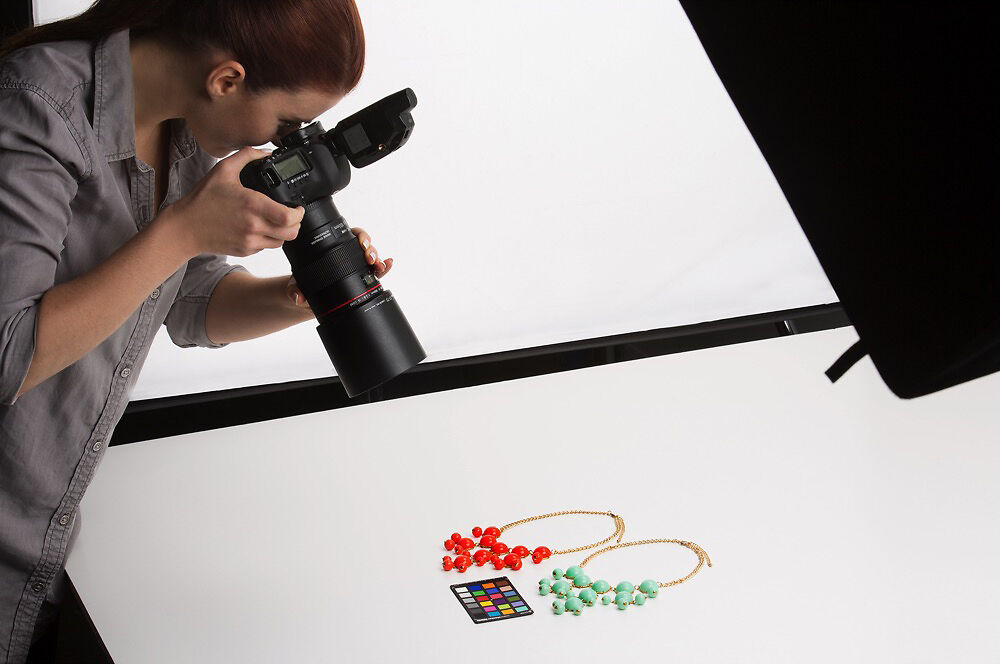
ColorChecker Camera Calibration Software and Mini ColorChecker Classic Target for Cameras: Utilizing the included industry standard 24 patch target, you’ll be able to create custom camera profiles (single or dual illuminant), set a custom white balance and have a neutral starting point no matter what light you are shooting in for a more streamlined editing process. The software includes both a desktop application and an Adobe® Lightroom® Plug-In.
Monitor Calibration and Profiling:
Once you take the guesswork and frustration out of making sure the color you see on your display is the color you expect from your printer, you’ll save time and money and gain full creative control over your images. ColorChecker Studio uses advanced technologies to perfect the match between your display and printer.
Intelligent Iterative Profiling:
An adaptive technology that produces optimized results for maximum color accuracy on each unique display every time you profile.
- Ambient Light Measurement: automatically determines the optimum display luminance for comparing prints to your display, based on a measurement of the lighting conditions where prints will be viewed.
- Video Standards Support: NTSC, PAL SECAM, Rec. 709, Rec. 2020 and DCI-P3
- Extended User Controls: custom control of white point, luminance, contrast ratio and gamma. Also, measure other displays or light sources and use as targets.
- Multiple Monitor Profiling: color match up to four separate displays for color accuracy across all your workflow.
- Profile Optimization: create unique patch sets for optimal results.
- Profile Validation and Reminder: view before and after results with included images or load your own, or use the 3D profile gamut viewer; set reminder intervals to re-profile your display.
Even More Features:
Projector Calibration and Profiling:
Now, your projected presentations can look the same as your monitor. Build an accurate projector profile in just minutes – it’s as easy as building a monitor profile. The process takes all the room conditions into consideration – projected colors, screen color and room lighting – so you can be confident that your projected images are showing the way you intended.
Scanner Calibration and Profiling:
Scanner profiling is super easy. Simply scan and crop your target to generate a high quality ICC profile. Supports these targets: ColorChecker Classic (Standard and Mini sizes), ColorChecker Digital SG, Reflective IT 8.7/2, Transmissive 4x5 and 35mm IT8.7/1.
RGB and CMYK Printer Profiling:
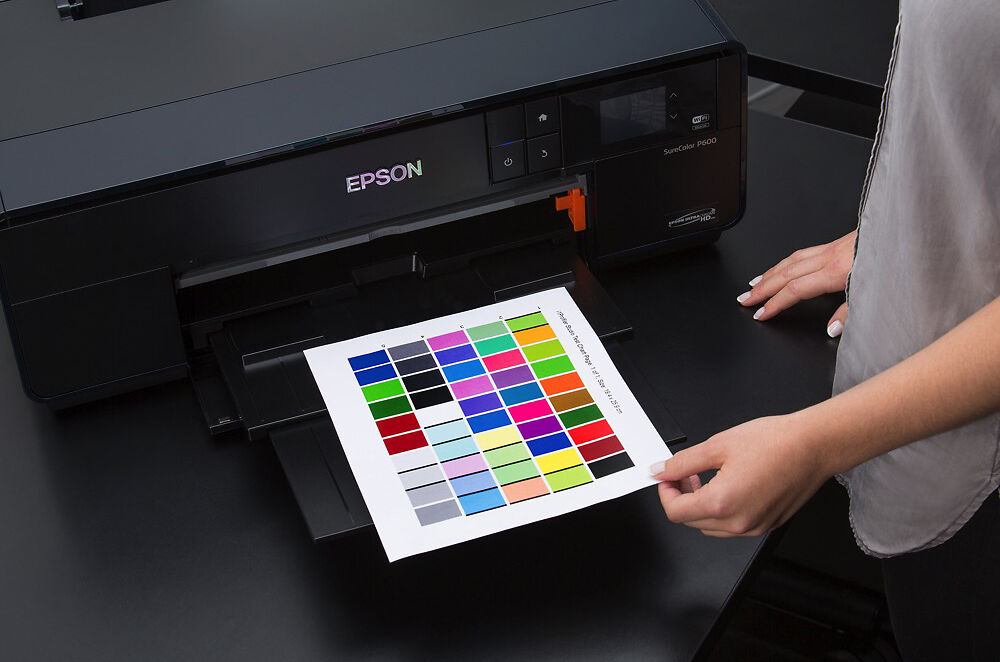
Intelligent iterative profiling technology ensures your output is reproduced accurately from print to print and from printer to printer, delivering professional quality results for smoothness, highlight and shadow detail.
ColorChecker Studio’s superfast scanning can rapidly measure test charts in less than one minute! Simply scan one 50-patch test chart, and ColorChecker Studio will learn how your printer behaves with these colors and dynamically generate a second chart of 50 patches. Then print and scan this second chart of 50 patches and your profile is perfected!
Option to save your test targets as TIFF files to print later, or for use on a remote printer. ColorChecker Studio also supports various paper sizes.
ColorChecker Studio even has the ability to optimize your printer profile for specific colors, flesh tones or captured spot colors. ColorChecker Studio creates a 3rd test target based on extracted colors from an image and/or spot colors captured by your ColorChecker Studio device. Load your profile, generate your test target, measure and save. It’s that easy.
Black and White Profiling:
Utilizing the same intelligent iterative profiling technology for color prints, our B&W module is specifically engineered to ensure the highest quality results for your black and white prints, resulting in exceptional smoothness, highlight and shadow detail.
Simply scan one 50-patch test chart, and ColorChecker Studio will learn how your printer behaves with these colors and dynamically generate a second chart of 100 patches to better define neutrals. Print and scan this second chart and your B&W profile is now perfected!
Once you’ve converted your image to B&W and are ready to print, simply apply your custom B&W profile.
There is also the option to create a profile for a specific B&W look including High Contrast Neutral, Platinum, or Sepia. For those of you who love B&W printing, prepare to be amazed.
The Calibrite ColorChecker Studio powered by X-Rite takes your start-to-finish color-managed workflow to an expert level with exceptional accuracy and consistency allowing you more time to focus on creating more images.

Calibrator Technology
Spectrophotometer

Display Technology Support

Multiple Display Support?
Specifications
Please note: Specifications are provided as a guide only.
We try very hard to keep these up to date and correct, but if a particular specification is really critical to you, then please double check the specification directly with the manufacturer. Some features may of course have caveats not fully described here.
To get more information about a particular specification, use the arrow to get a 'Specxplanation'.
-
Calibrator TechnologySpectrophotometer
Calibrators come in two main types:
Colorimeters - can only read light emitting devices, like monitors. They are generally the best (and most affordable) option for calibration monitors. Essentially these are like simple digital cameras with a sensor and some filters in front of the sensor to separate the different colours of light.
Spectrophotometers - These measure the actual spectral wavelengths of light. They have their own light source so can handle both light emitting devices like monitors and reflective materials like paper. They're very good at print but not as good as colorimeters for monitors generally, as the commonly available models tend to have some difficulty reading deep shadows on monitors.
A third type 'Spectrocolorimeter' - is something Datacolor came up with in their print calibrators. We at Image Science are ...not huge fans.
Here's a more comprehensive overview of the different types of calibrators (paraphrased from the ColorSync mailing list!):
1) Radiometer is a sort of light meter for some assumed spectrum; could be any electro magnetic radiation (EMR). If it is used for photography it's literally called a Light Metre.
2) Spectrometer is a radiometer that can report spectral power distributions, e.g., the EMR contour of a spectra. This is classically about a prism, hot objects and the visible signatures of their elemental constituents. But also could be about any range of EMR.
3) Spectroradiometer - measurement of precise energy distributions across a spectra. This is about knowing not only the spectral distribution, but exactly how much power is being conveyed.
4) Spectrophotometer, is an application of a spectrometer for evaluating spectral power distribution in range of visual sensation. In domain of Colorsync Users, this tends to be optimised for reflective media, but such a distinction is application dependent.
5) Colorimeter, a device that reports tri-stimulus colorimetric (e.g, CIEXYZ) coordinates of spectra; optimised under an assumption of RGB emissive media, i.e. display technologies
These last two are applications most relate to colorimetry, whereas the former three apply to many other EMR domains. So if you're a physicist or chemist or radio engineer, for example, you are generally thinking in terms of first 3, and if you are a colour user/engineer you are thinking mostly in terms of the last two.
-
ConnectionUSB-A
-
Display Technology Support?
Calibrators have filters in them and depending on the characteristics of the displays they are measuring, they may or may not support that type of display.
The display types are:
- CRT - Cathode Ray Tube - these are the older type of screens, the large thick monitors of yore with thick glass over the screen. Almost all of these are retired now.
- LCD - Liquid Crystal Displays - the modern flatscreen monitor. Available with two different types of backlighting technology - fluorescent and LED.
- OLED - An emerging technology, Organic Light Emitting Diode. Not many monitors are OLED yet, although we are now seeing laptops with them coming through. It's expected these will grow in popularity in coming years. Very high end TVs are now often OLED based.
- Plasma - No longer made, these were a wonderful quality display technology used for TVs
- Front Projector - Popular in home cinemas and board rooms everywhere!
-
Color Temperature Choices
What colour temperarture choices for white point does the system allow you to make?
At a minimum, 6500K and monitor native should be offered. 6500K is the standard whitepoint in general use in the photographic world, and lower end monitors don't like having their whitepoint adjusted so monitor native is the best to use in those cases.
However, ideally you can set any whitepoint you like, so that you can, for instance, adjust your monitor to look more like specific paper types.
-
Gamma Choices
What gammas can you choose when calibrating?
Pretty much everyone should be using 2.2.
Some might want to experiment with L* in some obscure cases.
-
Target Size and Choices
How many patches are used (measured) in the calibration process? More (to a point) is better from a quality point of view, although it makes the process take longer of course.
200 to 400 patches is generally enough.
Also - can the calibrator target the reproduction of specific colours, such as specific Pantones?
-
Uniformity Measurement?
Uniformity is still an issue with modern LCD monitors, especially lower quality ones. Does the calibrator have a system for assessing the screen uniformity?
(Unfortunately there's no system for correcting screen uniformity issues, other than getting a better monitor!)
-
Multiple Display Support?
Can you calibrate multiple monitors connected to the one computer?
Note, even if the calibarator supports this, your system must as well. This means all video cards in your system must have a separate LUT table.
All Macs have this, and most desktop PCs as well. Some PC laptops have single LUT systems although it's been some time since we've seen this actually.
-
ICC Profile Version Support
ICC V2 is the most compatible and in fact for monitors there's really no practical benefit to ICC V4 support really.
In general, table based profiles are more accurate than matrix profiles, so this is desirable.
-
Monitor History Report?
Devices with a monitor history report can show you how the behaviour of your screen is changing over time.
This can be useful in diagnosing issues and planning hardware upgrades.
-
Monitor Quality Report?
Will the system give you a report on the quality of your monitor?
Measuring a monitor's quality with the same device you used to calibrate it is of dubious benefit, though - as any error is likely to be repeated, so the device might well report that things are fine when they are not.
-
App Support?
Can you use the calibrator with an app on your Apple i device or Android device?
Note, this will allow you to display calibrated images within that app only - there is no general support for colour management on mobiles/tablets yet.
-
DisplayCAL Support?
DisplayCAL is an open source application built on top of the excellent argyll cms open source colour management system.
It is available for Linux, Windows and OSX.
It's an extremely good calibration package, in many ways better than the manufacturer's own software, and well worth checking out - see this comprehensive page for details.
Often DisplayCAL can be used to rescue older calibrators when the manufacturer has stopped supporting legacy operating systems.
-
Full Specs.
In The Box
Please Note:
We keep these details up to date to the best of our knowledge.
However if a particular item is of special importance to you please also check the manufacturer's listing for the product.
You will get:
- i1 Spectrophotometer
- Monitor Holder & Protection Bag
- USB Cable
- ColorChecker Classic Mini Target
- ccStudio Software
- Quick Start Guide
Ask A Question
Confused about something, or just want some human to human advice?
Send us a question about this product.
We answer all enquiries, and promptly too!
You're also very welcome to ring us on 03 9329 4522 if you prefer.
Note this form is for pre-purchase enquiries, or support enquiries if you have bought this product from us. If you have bought this product from another supplier then please contact that supplier for support.
