Please note that we are open by appointment only (except for click and collect pickups once notified ready).

BenQ SW242Q Evaluation

5th August 2024 Product News

There remains a market for smaller monitors - of course for many reasons.

First for many, in these inflationary times - is of course the price.  Like the SW240 before it, this new BenQ SW242Q represents the most affordable path into a serious, colour accurate workflow.

Second is the 24 inch size - in many scenarios, a smaller size is actually a real asset - perhaps you have physical limitations where you're putting the screen, or perhaps you're looking for an in-studio or on-site monitor, and therefore want something smaller and lighter, easier to lug around?  

Read on for a full evaluation of the small but mighty BenQ SW242Q....


The BenQ SW242Q

Introduction

The newly arrived BenQ SW242Q completes the current line up of 'third generation' BenQ SW models - the SW line being BenQ's line of monitors designed specifically for photographic use (of course, really that means colour accurate, still image work - making these models ideal for anyone work in the visual arts, really, not just photographers of course!).

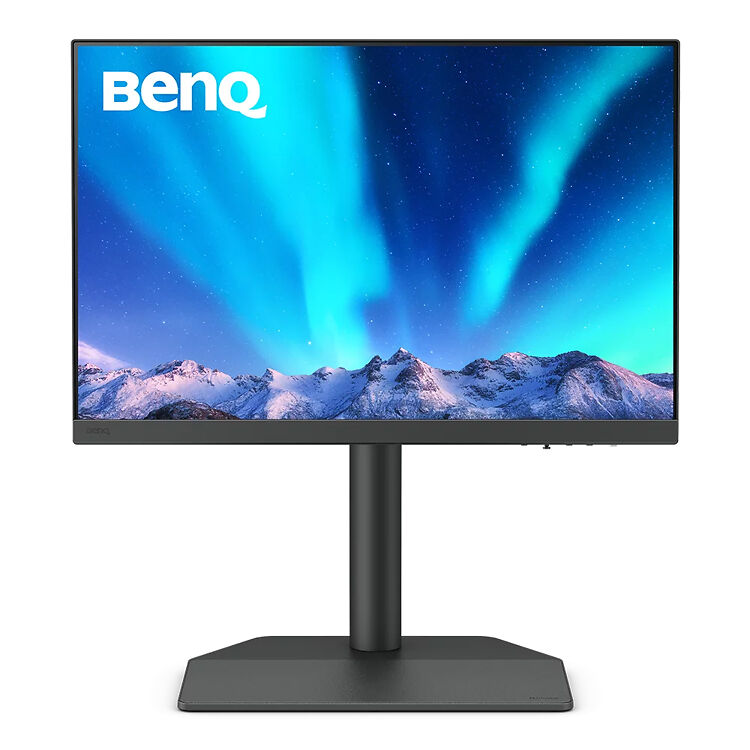
BenQ SW242Q 24" Monitor
The most affordable high quality colour accurate monitor on the market. Great accuracy with direct hardware calibration support.
Free Courier Shipping to most locations! (See notes).
▪ Get a FREE Ergo Arm worth $169 when you purchase an eligible BenQ monitor! See full details here.
$799
  • Panel Size / Ratio24" / 16:10 (1.6:1)
  • Native Resolution2560 * 1600
  • Panel TechnologyIPS
  • Direct Hardware Calibration Support?
  • In Built Sensor?
  • GamutWide
More info

BenQ now offer an impressive full range to suit any photographer's needs, ranging from about $800 to about $3000:

  • This new model, the 'entry level' (in size only) BenQ SW242Q 
  • The SW 272Q - a 27" 2.5K model, very competitively priced
  • The SW272U - the 4K flagship of the BenQ SW range
  • The SW321C - for the big screen lovers
BenQ SW242Q 24" Monitor
The most affordable high quality colour accurate monitor on the market. Great accuracy with direct hardware calibration support.
Free Courier Shipping to most locations! (See notes).
▪ Get a FREE Ergo Arm worth $169 when you purchase an eligible BenQ monitor! See full details here.
$799
  • Panel Size / Ratio24" / 16:10 (1.6:1)
  • Native Resolution2560 * 1600
  • Panel TechnologyIPS
  • Direct Hardware Calibration Support?
  • In Built Sensor?
  • GamutWide
More info
BenQ SW272Q 27" 2.5K Monitor
BenQ's new flagship 27" colour accurate monitor.
Free Courier Shipping to most locations! (See notes).
▪ Get a FREE Ergo Arm worth $169 when you purchase an eligible BenQ monitor! See full details here.
$1,439 RRP $1,449   (Save $10!)
  • Panel Size / Ratio27" / 16:9 (1.78:1)
  • Native Resolution2560 * 1440
  • Panel TechnologyIPS
  • Direct Hardware Calibration Support?
  • In Built Sensor?
  • GamutWide
More info
BenQ SW272U 27" 4K Monitor
BenQ's new flagship 27" colour accurate 4K (UHD) monitor.
Free Courier Shipping to most locations! (See notes).
▪ Get a FREE Ergo Arm worth $169 when you purchase an eligible BenQ monitor! See full details here.
$2,789 RRP $2,799   (Save $10!)
  • Panel Size / Ratio27" / 16:9 (1.78:1)
  • Native Resolution3840 * 2160 (UHD 4K)
  • Panel TechnologyIPS
  • Direct Hardware Calibration Support?
  • In Built Sensor?
  • GamutWide
More info
BenQ SW321C 32" 4K Monitor
BenQ's newest 32" 4K UHD colour accurate monitor delivers excellent colour accuracy and uniformity for professional photo and video editing.
Sorry, this product has been discontinued.
  • Panel Size / Ratio32" / 16:9 (1.78:1)
  • Native Resolution3840 * 2160 (UHD 4K)
  • Panel TechnologyIPS
  • Direct Hardware Calibration Support?
  • In Built Sensor?
  • GamutWide
More info

Whilst lacking the very fanciest of features found in the higher end Eizo screen (integrated, automatic calibration, for example) - absolutely all the core features and quality needed for colour accurate work are in place across the whole range, and now you can get started with this level of quality for under $800.  

Indeed, apart from BenQ's own previous model in this range (the SW240, that was a mini marvel in its day and remained popular and good value for many years) - there simply isn't any other option around this price point that comes close.  

If you're looking for colour accuracy on a budget, then this is without doubt the monitor you should be looking at.

Let's dig in to the key specifications and new features of this very significantly improved model from BenQ.

The BenQ SW242Q

Key Specifications

The BenQ SW242Q has these key specifications:

  • 24" High quality IPS panel 
  • BenQ '3rd generation' uniformity correction (deltaE < 1.5)
  • New generation, TUV Rheinland certified matte panel coating
  • QHD 2560x1600 resolution (16:10 ratio)
  • Wide gamut - 100% sRGB, 98% P3, 99% Adobe RGB
  • Modern inputs - USB-C (90W PD), DisplayPort (1.4), HDMI (2.0)
  • In built USB Hub & SD Card Reader
  • HDR10 Support
  • Sleek, narrow bezel, professional design

The BenQ SW242W

Notable New Features

Not surprisingly, all the new features really revolve around the excellent, highly tuned panel that BenQ have brought to the the table with the SW242Q.

Panel Size

Physically, you will get a 24" panel, with a 16:10 ratio.  This means it's about the same working height as most 27" panels, just not as wide.  Versus most 24 inch models (e.g. the current iMacs) - this extra height makes a big difference and the screen feels distinctly bigger in use.

Personally, and particularly when using a smaller panel size, I strongly favour the 16:10 ratio - the extra vertical height really helps, particularly if a lot of your work is portrait oriented work (e.g. you do headshots, or page layouts etc. - but also of course for more mundane things like emails and web browsing...).  

(My preference here extends down to laptops where I have a very strong preference for squarer ratios - 16:10 or even 3:2 being ideal there - more on this in a forthcoming article on laptops...)

Panel Coating

Also notable is the vastly improved screen coating BenQ are using.  This is a TUV Rheinland certified matte coating - and it really, really shows.  It makes, for instance, the Eizo CS2740 I am using alongside it, look positively shiny in comparison.

This new generation coating (featured across the range - technically the SW321C has a slightly different and even more matte coating, but I frankly can't tell, they are all so wonderfully matte!)...is a big part of what makes these panels so good and has a real impact on their deep shadow display accuracy in particular.

It's great to see this level of coating available at so humble a price and it is an immediately noticeable improvement for sure.

Resolution

The new panel features a 2560x1600 resolution.  This is obviously not 4K, but it's also definitely noticeably sharper than the traditional 'Full HD' found on older 24" monitors.  

It would have been nice to have 4K - with a panel this size, it would have made for a very sharp display indeed - but I think BenQ have made the sensible choice here and opted for keeping this model affordable.

As we have always said - more pixels is almost irrelevant in photographic image editing - you'll always be zooming in to 100% to e.g. check critical focus anyway.  And even 4K monitors are well behind the resolution of modern digital cameras, so any full view of your image is scaled anyway.  In use, none of that really matter - the higher the resolution, the more sharp the rendering, but put side by side it's barely noticeable and makes no practicable difference to retouching or editing work.  As ever, colour accuracy is the thing that makes the true difference, and this is where BenQ have clearly focussed their efforts.

Where sharpness does make a difference is the 'other stuff' - the emails and browsing side of use.  And you do pay a penalty here, but at a normal desktop viewing difference, the sharpness of the BenQ SW242W is quite comfortable.

Uniformity, Accuracy & Pixels

There's a great IPS panel at the heart of this monitor, and it's further been well tuned by BenQ.

Of course when you buy from Image Science you're covered by our exclusive extra warranty for dead pixels - any dead/stuck pixel is covered for a full six months, so that's one worry scratched off the list (buy from any other vendor, and you're under the standard policy as found here - so this alone is a great reason to buy a properly supported monitor from Image Science!).

The '3rd generation uniformity standards' are tight - meaning you get an effectively completely uniform display (delta E < 1.5).  I haven't done any specific measuring, but visually it looks like all the other highly uniform displays we have here (right up to the cream of the crop Eizo CG2700X model).

I think the uniformity issue is effectively solved at this point (by monitors in this sort of class) - perhaps with the very largest panels (32s) it's still worth thinking about, but I can't recall a single uniformity issue raised with us in at least 5 years now. The levels these modern panels in the BenQ PhotoVue and Eizo ColorEdge ranges hit and hold (for many years!) are excellent.

In short, you're guaranteed a high quality, fault free panel with the BenQ SW242Q.  Of course it does remain an IPS panel - which gives it the great colour accuracy, but also means it's relatively low contrast, and there is, as ever with IPS panels, the famous IPS glow to the blacks.  But on the SW242Q, in normal viewing conditions, it's well controlled and not at all objectionable.  But you would notice it if you're using it in a dark environment.

Video & HDR Features

Given the low contrast nature of IPS panels, this is not a monitor aimed at serious, top end video grading work, of course.  If you're working in the Broadcast, TVC or cinema worlds, then you'll want to look up-market (hello Eizo CG2700x...).

That said, the BenQ SW242Q has a number of features that actually make it quite useful for video work in practise - perhaps as an in-studio reference monitor, for example:

  • HDR10 Support
  • 24p Support 
  • 4:4:4, 4:2:2, 4:20 support (details)
  • SDI to HDMI Device Compatibility
  • 98% P3 and 100% REC.709 gamut

This flexibility of input means if you're entering the arena of video work, the SW242Q can come with you on that journey, in a variety of roles.

The reality is most folks are, day to day, mostly working on 'desktop video' - that is, video for e.g. for social media and web use.  And the high accuracy of the BenQ SW242Q, combined with the modern inputs and format support, means this monitor can work very well in those scenarios - at a fraction of the cost of true Broadcast monitors (and if you need one of those, you're hopefully working on a project with the budget to support that!).

The Monitor Hood

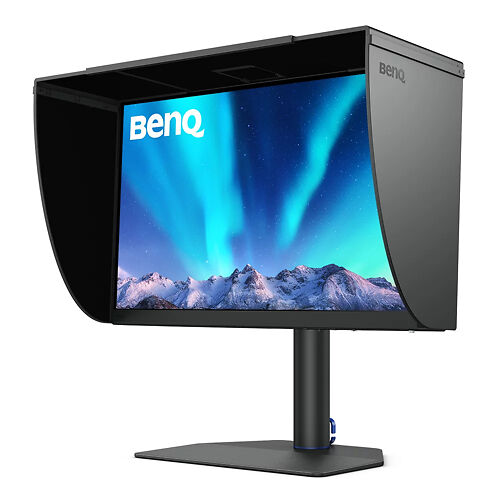
One notable other difference with the SW240 - the hood is now an optional extra ($169).  This is one way BenQ have achieved such a big quality bump whilst keeping pretty much the same price, in these difficult cost-of-living times.

Personally I like the clarity of the SW range all coming with included hoods, but I understand not everyone wants or needs a hood, and that times are tight, to this seems in all a sensible, pragmatic decision from BenQ.

(Note: that we can only sell the hood with a monitor purchase, so do consider this carefully when you pull the trigger as we can't add it later!).

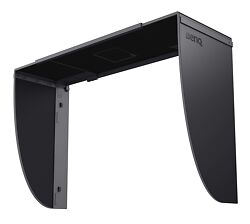
BenQ SW242Q Shading Hood
Shading hood for the BenQ SW242Q 24" monitor (n.b. only available for purchase with the monitor).
Free Shipping - this product ships free!
$169
More info

Ports & Connectivity

The ports and completely standard for a monitor in this class - for video you have USB-C, DisplayPort and HDMI options.  You also have a USB hub and built in SD card reader.  When using the USB-C port, you get USB-PD (Power Delivery) up to 90W back to the connected device - i.e. this monitor can charge your laptop while connected, all through a single cable hook up.

The built in USB hub is great for making the monitor a dock for your laptop or for connecting two computers into the monitor (i.e. plug your mouse and keyboard into the monitor, the monitor acts as a basic KVM).  

It's not ideal for long term us of things like external hard drives, and the SD card reader is not as fast an a dedicated unit, due to USB bandwidth limitations.  So for your faster devices you will likely still want to connect these to your machine or a separate high quality hub.

Two improvements would significantly improve the ports situations - using Thunderbolt instead of USB-C would allow for higher bandwidth generally - this would result in faster downstream USB support, and add support for daisy chaining.  With this in place, there would presumably be enough bandwidth to also add an Ethernet port to the monitor would then create a true 'one cable does it all monitor docking station' scenario, which many laptop users are looking for these days.

The BenQ SW242Q

Things Missing & What This Isn't

As said above, this is obviously not top tier video grading monitor.

It's also not a gaming monitor - 60hz is all the speed you're going to get here, and there's no adaptive sync/slick motion hoo ha here.

Also, if you're instead after more of a high quality more general purpose office monitor with still very good colour, then the DesignVue PD monitors are noticeably cheaper, and a lot more feature forward.  You'll get something bigger, and higher resolution, whilst still getting very good colour (albeit not to the precision on offer here) - then the DesignVue monitors are definitely worth a good look (and if you need help deciding, don't hesitate to get in touch!).

The BenQ SW242Q monitor is tailor made for slow, considered, very high quality imaging work.  Of course it's great at all the normal, day to day monitor tasks too - email, web, office apps and so on.  But this monitor is, in particular, a great fit for visual artists specifically.

There are a couple of minor ticks in the 'not ideal' column with this model.

PWM

Primarily, it's the lack of the eye care features (that the SW series had in the past) - in particular it would be better if they used DC based brightness modulation (i.e. not PWM).  

The reality is that PWM is everywhere with LCD screens (your phone, tablet etc. all likely use it) - and very few people are actually affected by it.  Indeed, even many ceiling LED lights use PWM (for dimming), so it's near impossible to avoid completely in the modern world.  But a very small percentage are negatively affected by PWM (with eye fatigue and headaches being the main results - and likely you already know if you're one of these people!).  It's a shame this extra eye protection feature is no longer present in the SW range.

8 Bit+FRC

The second thing that might bother some is this is a '10 bit input panel' - the 10 bit display side of things is achieved with 8 bit + FRC.  

I've written about this before but FRC is extremely effective technology and whilst we have many 'true 10 bit' panels in the office here to directly compare with, I really have found no discernible, practicable difference between those and the high quality 8 bit + FRC panels we see here.  

(I mention this as some video folks seems to have been taught this is some sort of very critical thing in monitors - it absolutely isn't (and there are plenty of junky, low colour quality panels that are technically 'true 10 bit')...but recently I was accused by a random keyboard warrior of 'hiding' this info in my evaluations and being in the pocket of 'Big Monitor'...a bit odd, considering I have mentioned it numerous times, and we list the spec. explicitly on all our monitor product pages...).

The BenQ SW242Q

Unboxing & Setup

The BenQ SW242Q comes in BenQ's new (nearly) foam free cardboard packaging.  This is a great initiative we're seeing with more and more of their monitors.

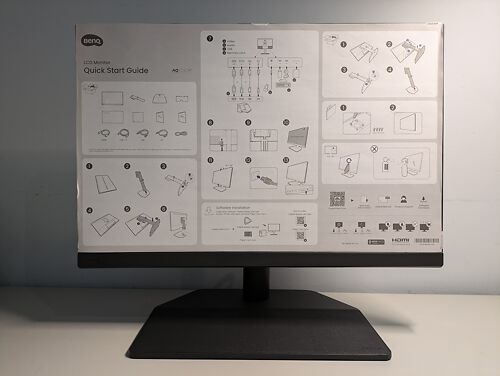
Unboxing was easy - pay attention to the visual instructions you see when you open the top of the box. Basically, you pop out the monitor arm, and remove the top layer of cardboard, and then you'll fine the rest of the stand and the main monitor panel below.

In short, you assemble the stand (very simple), and then pop out the monitor panel, and lay it carefully, face down, on something soft (such as the wrap it comes in!).  And then you simply click in the arm of the stand and that's it really.

The stand has a classy 'leatherette' base, and offers a great range of movement (including 90° pivot).  It will work for just about any normal desk scenario, and it has a carrying handle to make it easy to move around - but if you need even more flexibility, there is of course a VESA 10x10 mount on the back, so you can use any standard monitor arm instead, if you prefer.

BenQ supplies pretty much all the cables you need - USB-C, DisplayPort, and HDMI (which I have just listed in order of preference - use the first in this list you can!).

If you are not using USB-C (where the one cable does everything) - then plug in your video cable but also remember to plug in the (included) standard USB 3 cable (the one with the blue ends) - as this will be needed for calibration, and to enable the downstream USB ports and in-built SD card reader.

If you are using USB-C, and you're using a laptop that supports USB-C power/charging, then the monitor can deliver up to 90W of power back to your laptop - making for a very elegant single cable setup (so you can leave your charging brick neatly packed away in your away bag!).

As with all the other monitors in this series, the monitor controls are hidden underneath the bezel at the front, right.  They're a bit fiddly and feeble feeling, but once you get used to the joystick approach they are quite functional and easy to use.  Of course, when you use calibration, you don't actually use these at all, so likely once you're past the initial setup you'll forget they are even there.


(I do have one criticism here - BenQ supply a getting started sheet for this monitor, but they've taped it to the front of the monitor panel.  Which likely means you won't even see this until after you've done most of the setup work already!  Thankfully it's all very simple, but why they don't put this information on the first level of the cardboard marvel, so that you see it earlier, is beyond me!)

The BenQ SW242Q

Calibration

One document they do put on the top level is your panel's individual factory calibration and assessment sheet (again, worth noting Eizo don't bother with these for their CS level monitors, which are the directly competing range...which seems a silly, easy to remedy oversight on their part...).

You can see ours here.

Now - it may well be that one of the existing calibrated presets is all you need - there are presets for work in sRGB, Rec.709, P3 and AdobeRGB for example.  This is a great way to get started and many folks do use these modes ongoingly.

But, if you're buying a monitor like this, then longer term at least (to keep things accurate once the monitor drifts from its initial factory calibration), and/or if you want to do anything more sophisticated, such as fine art screen to print matching, then you're going to need a calibrator.

Calibrite Display Plus HL
A professional-level display calibration tool featuring a new high-luminance sensor capable of measuring up to 10,000 cd/m2 (nits)!
▪ Get up to 20% off RRP in our Calibrite EOFY Sale! See here for sale details.
$515 RRP $639.59   (Save $124.59!)
More info

We recommend the Calibrite Display Plus HL, which is the current industry standard professional calibrator. We can help you work out the right one for you of course, but whatever you do, do be especially careful NOT to buy one of the calibrators that is limited against working with hardware calibration packages (i.e. the more basic/cheaper models).  

We of course have a full guide to BenQ's excellent calibration software - Palette Master Ultimate (which includes a list of compatible calibrators).  We won't go through the process here, as we cover it in great detail in the guide.

The process is simple - PMU is very nice software & BenQ have done a great job with it, it's a lot less intimidating than other brands software.

Here is the excellent results of our first calibration:

As you can see, the monitor, once calibrated, is simply bang on, and the average measure of colour error (deltaE) is wonderfully low.

The BenQ SW242Q

Evaluation in Use

In all honesty, there isn't a lot extra to say here.  

The monitor, in use, is exactly what we thought it would be - essentially offering the quality of the SW272U/SW272Q, in a slightly smaller & lower resolution form factor, and at a much lower price.  Everything we said about those monitors holds true here.  And honestly, given the 16:10 ratio, it really doesn't feel as much smaller than the 27s as you'd think.  

For anyone buying around this size and/or price level, and looking to do serious, high quality photographic work (or any other type of high quality still imaging work) - there's simply no better choice available.

It's a serious, professional retouching monitor with consumer level pricing, in a nutshell.  Sure if you're new to imaging monitors, and comparing to to whatever crap-box Officeworks is offering this week, it might seem expensive, but in fact the SW242Q is a bargain for the quality on offer (much as the SW240 was before this).

Combined with the work BenQ have done on the software side of things, it's genuinely very tough to think of anything wrong with, or missing from any of the SW range now, and the fact they are filling gaps that Eizo currently isn't - i.e. affordable smaller and larger options - makes them a force to be reckoned with.

Conclusion

The BenQ SW242Q is (another) mini-marvel from BenQ.

At a price point well less than the cost of a single professional lens, you get a screen capable of supporting professional level imaging work.  

It's great that there is such a good quality, affordable option in colour accurate monitors.  Yes of course it costs more than a basic, general purpose office monitor, but if you're the sort of person that needs colour accuracy in their workflow, a monitor like this is literally worth its weight in gold.  

If you're a student or a photographer at the beginning of your career, it's hard to think of a better place to spend $800, frankly.  

At the heart of all modern imaging work lies your monitor - it is quite simply the core tool in the workflow - the tool on which you'll be making the vast bulk of your decisions about colour, mood and the aesthetics of your work.

Thus, colour accuracy from your monitor continues to be essential for high quality, tightly controlled work.  If you can't very accurately see the colours in your files - and with lesser monitors, you definitely don't - you just can't accurately make the sort of critical fine adjustments that help take your images from adequate or good, towards great, and visionary.

As with the other monitors in BenQ's SW range, everything is nicely in place here - all these monitors offer an excellent synergy of hardware and software, giving high quality results for still imaging work, for a very reasonable and competitive cost.

BenQ SW242Q 24" Monitor
The most affordable high quality colour accurate monitor on the market. Great accuracy with direct hardware calibration support.
Free Courier Shipping to most locations! (See notes).
▪ Get a FREE Ergo Arm worth $169 when you purchase an eligible BenQ monitor! See full details here.
$799
  • Panel Size / Ratio24" / 16:10 (1.6:1)
  • Native Resolution2560 * 1600
  • Panel TechnologyIPS
  • Direct Hardware Calibration Support?
  • In Built Sensor?
  • GamutWide
More info