


Please note that we are open by appointment only (except for click and collect pickups once notified ready).

Founded in the USA by DataColor

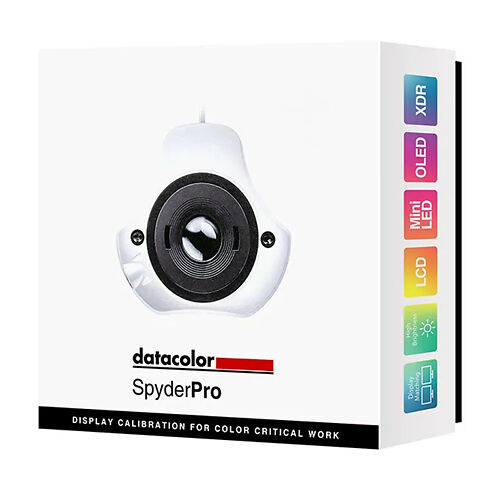
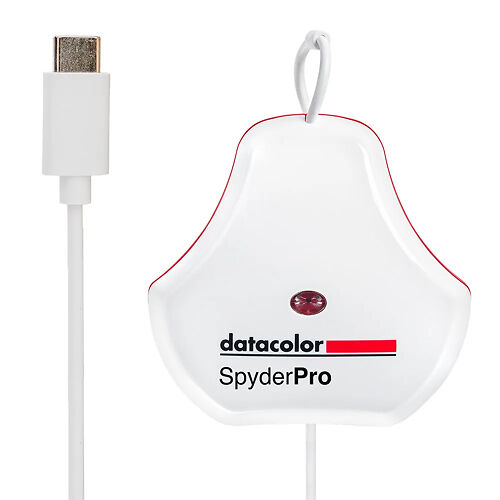
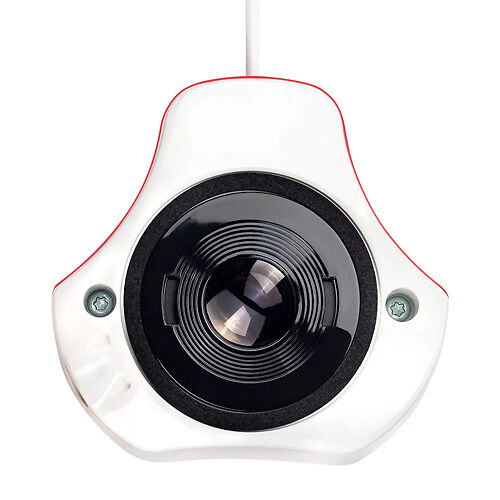
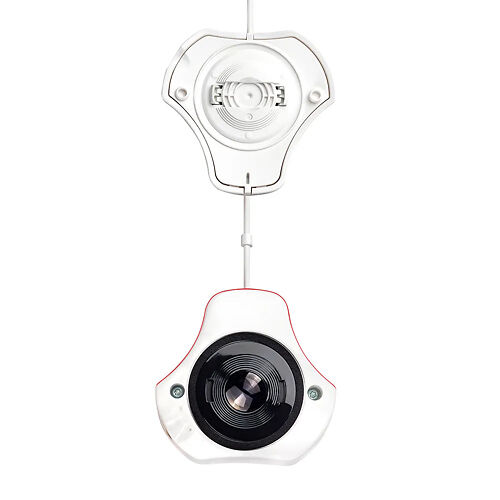
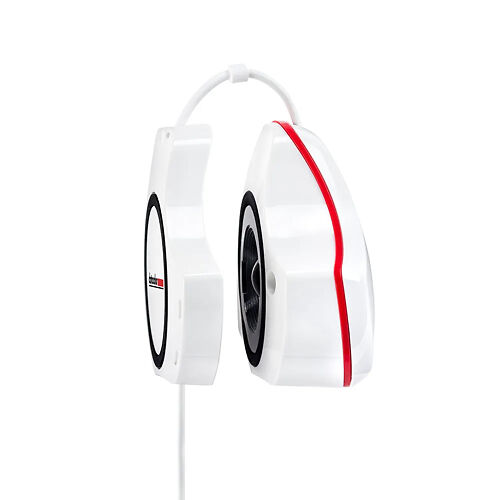
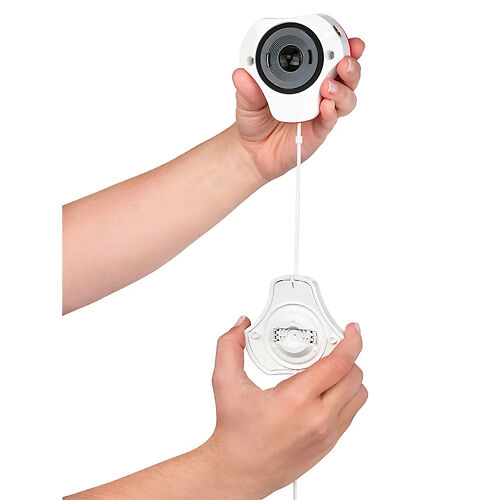
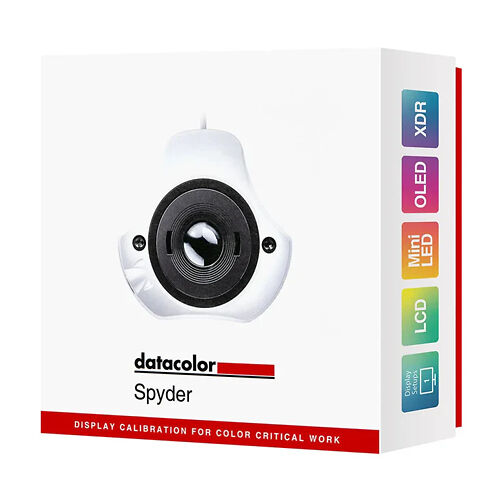
Datacolor SpyderPro Advanced Colorimeter

[IS SKU: HDC_58.SP2024PRO]
$520 RRP $575   (Save $55!)

Datacolor SpyderPro delivers advanced, accurate display colour calibration for your editing monitors.

▪ Please allow 3-4 business days for these items to dispatch
Datacolor SpyderPro Advanced Colorimeter Master Image
Datacolor Spyderpro colorimeter monitor calibrator USBC
Datacolor Spyderpro colorimeter monitor calibrator front
Datacolor Spyderpro colorimeter monitor calibrator front2
Datacolor Spyderpro colorimeter monitor calibrator side
Datacolor Spyderpro colorimeter monitor calibrator hands
Datacolor SpyderPro Advanced Colorimeter Master Image Datacolor SpyderPro Advanced Colorimeter Image Datacolor SpyderPro Advanced Colorimeter Image Datacolor SpyderPro Advanced Colorimeter Image Datacolor SpyderPro Advanced Colorimeter Image Datacolor SpyderPro Advanced Colorimeter Image

Description


  • Apple XDR/Liquid Retina Display compatible
  • Colour calibrates High Brightness, LCD, mini- LED and OLED monitors
  • Display Calibration System
  • Rec. 709 & Rec. 2020 Calibration Targets
  • Full screen before/after calibration comparison
  • Accurate side-by-side monitor colour calibration
  • Calibrate an unlimited number of monitors per computer capability
  • Measures and adjusts for ambient room light
  • Unlimited brightness settings
  • Calibrates up to 2,000 cd/m2
  • USB-C (includes USB-A adapter)
  • Preview your photos for mobile with DevicePreview™

Designed for a wide range of digital creatives of all skill levels, including those working in photography, videography, content creation, digital design, and more, it is a monitor calibration tool for today's digital workflows. It lets your monitor accurately portray images you capture, create, edit, and view. Calibrating a monitor allows for a colour-accurate starting point for editing, allowing users to express their creative vision and share their work, digitally and in print.

Portable and rugged, not only does SpyderPro let users streamline their workflow for photo, content creation, and digital design, but it also calibrates a wide range of monitors, including Wide and Standard gamut LED, OLED, Mini LED, Apple Liquid Retina XDR, high brightness displays, and more, optimizing colour richness, deep shadows, highlights, enhanced details, and brightness. Thanks to SpyderPro's StudioMatch and Spyder Tune, you'll be able to ensure colour continuity across multiple monitors, whether using one or more computers.

Also featured is Datacolor's Device Preview Beta, which lets users see how their images may look on other devices without needing to use the actual devices. Instead, choose from a profile option for a smartphone, tablet, or other device. This may also be used to soft proof and preview how prints will look for a specific printer model, paper and ink, and print service provider by using an ICC printer profile. Other functionalities include Advanced Display Mapping & Analysis, Gamma Curve Adjustment, Automatic Room Light Switching, Rec. 709 and Rec. 2020 gamut coverage, one-click calibration presets, and more.

Colour Confidence That's Fast and Easy
SpyderPro lets you easily calibrate your monitor in only about 90 seconds, so you can be confident that you're beginning your editing from an accurate colour starting point, saving you valuable time and effort in your editing workflow. The result? True-to-life colour and fine detail capture.
Professional Results for Every Experience Level
Intuitive software and one-click calibration ensure ease of use and professional results for even the most novice user. Additionally, unlimited calibration settings like fully customizable gamma curves, white point, and brightness settings allow for advanced colour control for a truly customized workflow that experienced professionals will appreciate.
Calibration for Today's Digital Workflows

SpyderPro now calibrates an even wider range of laptop/desktop and projector displays, including the latest technologies like OLED, mini-LED, and Apple Liquid Retina XDR so users can optimize the colour richness, deep shadows, nuanced highlights, and enhanced details of these monitors make available. Additionally, it calibrates Wide and Standard LED gamuts, while affording workflow adaptability, allowing you to work in even the brightest conditions with its high brightness feature. Working on the go with multiple portable displays attached to a single computer? The SpyderTune feature lets you adjust white point, gamma, and brightness for visual fine-tuning for the best consistency across multiple displays.

Color "Surprises" Are a Thing of the Past!
With Datacolor's exclusive Device Preview Beta feature, you'll be able to simulate what your photos can look like on other devices on your own calibrated screen without uploading them to other devices for preview. Device Preview Beta also allows you to soft proof your image in print so you can view how your image will appear on paper.

Patchwork Color: OK for Quilts, Not Digital Viewing
Multiple cameras and monitors, shifts in lighting, days of shooting, splicing footage - if your monitor's colour isn't consistent, neither is your visual story. SpyderPro's StudioMatch feature allows for side-by-side calibration for multiple computers/displays, ensuring consistent, accurate colour reproduction across multiple connected monitors or computers.

Video & Cinema Colour You Can Count On
SpyderPro's Rec. 709 and Rec. 2020 targets ensure colours will be accurate so you can be confident that colours and images will translate properly across the production workflow, from editing and post-production to transmission, streaming, and final display. Rec. 709 is the most commonly used standard today, while Rec. 2020's wider colour gamut will let you deliver content that is more lifelike for a truly immersive experience for your audience.

Get the "Big Picture" of Your Picture
The Advanced Display Mapping & Analysis feature of SpyderPro gives you detailed information about your monitor. You can check colour/colour uniformity, brightness, contrast, gamut, tone response, display accuracy, and white point of your monitors to track colour accuracy and consistency.

Details Come Out from the Shadows
SpyderPro's Gamma Curve Adjustment feature lets you refine tone distribution (how seamlessly black transitions to white). Gradations are enhanced so shadow and light details remain crisp and clear. You can also balance your display's brightness settings based on your location and needs, for precise colour accuracy to capture every detail.

Customisable Calibration for Your Needs
SpyderPro offers unlimited calibration settings for fully customized calibration for all workflows. Fine-tune the gamma, white point, and brightness settings for any need. There's also a preset list of the most common calibration targets, including those for video standards and StudioMatch. Willing to spend a bit more time for a more sophisticated calibration? Choose Better in Grey Balance in the calibration settings for smoother gradients. Pressed for time? Opt for the Faster setting.

Adapt to Shifts in Light
Automatic Room Light Switching measures and tracks the lighting around you to make sure your current display profile is the one best suited for your environment. Not every task requires controlled lighting so allowing Spyder to adapt the calibration to your room lighting will ensure your monitor profile is optimal. During a Room Light Calibration, multiple profiles are created for different room lighting levels.

Use CheckCal for Confidence
CheckCal is Datacolor's answer to the question, "Is my calibration still valid?" CheckCal performs a short test on your monitor to verify your calibration is up to date.

Calibration as Bright as Your Environment
Some modern monitors have brightness levels for use outdoors or in other highly illuminated settings. SpyderPro's High Brightness calibration setting balances these monitors when working in a bright environment for an accurate reference.

Keep Connected
A native USB-C connection comes standard with the SpyderpRO, along with an additional USB-A adapter for added convenience when needed.

Calibrator Technology - Colorimeter

Calibrator Technology

Colorimeter

Display Technology Support -             OLED
            Mini-LED
            Apple XDR/Liquid Retina
            General (Wide And Standard CCFL)
            GB LED
            Standard LED
            Wide LED
            High Brightness

Display Technology Support

OLED
Mini-LED
Apple XDR/Liquid Retina
General (Wide And Standard CCFL)
GB LED
Standard LED
Wide LED
High Brightness

Multiple Display Support? - Yes

Multiple Display Support?

Specifications

Please note: Specifications are provided as a guide only.

We try very hard to keep these up to date and correct, but if a particular specification is really critical to you, then please double check the specification directly with the manufacturer. Some features may of course have caveats not fully described here.

To get more information about a particular specification, use the arrow to get a 'Specxplanation'.

  • Calibrator Technology
    Colorimeter

    Calibrators come in two main types:

    Colorimeters - can only read light emitting devices, like monitors. They are generally the best (and most affordable) option for calibration monitors. Essentially these are like simple digital cameras with a sensor and some filters in front of the sensor to separate the different colours of light.

    Spectrophotometers - These measure the actual spectral wavelengths of light. They have their own light source so can handle both light emitting devices like monitors and reflective materials like paper. They're very good at print but not as good as colorimeters for monitors generally, as the commonly available models tend to have some difficulty reading deep shadows on monitors.

    A third type 'Spectrocolorimeter' - is something Datacolor came up with in their print calibrators. We at Image Science are ...not huge fans.

    Here's a more comprehensive overview of the different types of calibrators (paraphrased from the ColorSync mailing list!):

    1) Radiometer is a sort of light meter for some assumed spectrum; could be any electro magnetic radiation (EMR). If it is used for photography it's literally called a Light Metre.

    2) Spectrometer is a radiometer that can report spectral power distributions, e.g., the EMR contour of a spectra. This is classically about a prism, hot objects and the visible signatures of their elemental constituents. But also could be about any range of EMR.

    3) Spectroradiometer - measurement of precise energy distributions across a spectra. This is about knowing not only the spectral distribution, but exactly how much power is being conveyed.

    4) Spectrophotometer, is an application of a spectrometer for evaluating spectral power distribution in range of visual sensation. In domain of Colorsync Users, this tends to be optimised for reflective media, but such a distinction is application dependent.

    5) Colorimeter, a device that reports tri-stimulus colorimetric (e.g, CIEXYZ) coordinates of spectra; optimised under an assumption of RGB emissive media, i.e. display technologies

    These last two are applications most relate to colorimetry, whereas the former three apply to many other EMR domains. So if you're a physicist or chemist or radio engineer, for example, you are generally thinking in terms of first 3, and if you are a colour user/engineer you are thinking mostly in terms of the last two.

  • Connection
    USB-A
    USB-C
  • Display Technology Support?
    OLED
    Mini-LED
    Apple XDR/Liquid Retina
    General (Wide And Standard CCFL)
    GB LED
    Standard LED
    Wide LED
    High Brightness

    Calibrators have filters in them and depending on the characteristics of the displays they are measuring, they may or may not support that type of display.

    The display types are:

    • CRT - Cathode Ray Tube - these are the older type of screens, the large thick monitors of yore with thick glass over the screen. Almost all of these are retired now.
    • LCD - Liquid Crystal Displays - the modern flatscreen monitor. Available with two different types of backlighting technology - fluorescent and LED.
    • OLED - An emerging technology, Organic Light Emitting Diode. Not many monitors are OLED yet, although we are now seeing laptops with them coming through. It's expected these will grow in popularity in coming years. Very high end TVs are now often OLED based.
    • Plasma - No longer made, these were a wonderful quality display technology used for TVs
    • Front Projector - Popular in home cinemas and board rooms everywhere!
  • Color Temperature Choices
    Any

    What colour temperarture choices for white point does the system allow you to make?

    At a minimum, 6500K and monitor native should be offered. 6500K is the standard whitepoint in general use in the photographic world, and lower end monitors don't like having their whitepoint adjusted so monitor native is the best to use in those cases.

    However, ideally you can set any whitepoint you like, so that you can, for instance, adjust your monitor to look more like specific paper types.

  • Gamma Choices

    What gammas can you choose when calibrating?

    Pretty much everyone should be using 2.2.

    Some might want to experiment with L* in some obscure cases.

  • Target Size and Choices

    How many patches are used (measured) in the calibration process? More (to a point) is better from a quality point of view, although it makes the process take longer of course.

    200 to 400 patches is generally enough.

    Also - can the calibrator target the reproduction of specific colours, such as specific Pantones?

  • Uniformity Measurement?

    Uniformity is still an issue with modern LCD monitors, especially lower quality ones. Does the calibrator have a system for assessing the screen uniformity?

    (Unfortunately there's no system for correcting screen uniformity issues, other than getting a better monitor!)

  • Multiple Display Support?

    Can you calibrate multiple monitors connected to the one computer?

    Note, even if the calibarator supports this, your system must as well. This means all video cards in your system must have a separate LUT table.

    All Macs have this, and most desktop PCs as well. Some PC laptops have single LUT systems although it's been some time since we've seen this actually.

  • ICC Profile Version Support

    ICC V2 is the most compatible and in fact for monitors there's really no practical benefit to ICC V4 support really.

    In general, table based profiles are more accurate than matrix profiles, so this is desirable.

  • Monitor History Report?

    Devices with a monitor history report can show you how the behaviour of your screen is changing over time.

    This can be useful in diagnosing issues and planning hardware upgrades.

  • Monitor Quality Report?

    Will the system give you a report on the quality of your monitor?

    Measuring a monitor's quality with the same device you used to calibrate it is of dubious benefit, though - as any error is likely to be repeated, so the device might well report that things are fine when they are not.

  • App Support?

    Can you use the calibrator with an app on your Apple i device or Android device?

    Note, this will allow you to display calibrated images within that app only - there is no general support for colour management on mobiles/tablets yet.

  • DisplayCAL Support?

    DisplayCAL is an open source application built on top of the excellent argyll cms open source colour management system.

    It is available for Linux, Windows and OSX.

    It's an extremely good calibration package, in many ways better than the manufacturer's own software, and well worth checking out - see this comprehensive page for details.

    Often DisplayCAL can be used to rescue older calibrators when the manufacturer has stopped supporting legacy operating systems.

In The Box

Please Note:
We keep these details up to date to the best of our knowledge.

However if a particular item is of special importance to you please also check the manufacturer's listing for the product.

You will get:

  • SpyderPro Sensor
  • Serial Number
  • USB-C to USB-A Adapter
  • Welcome Card with link to software and support resources

Also In This Range

Datacolor Spyder Essential Colorimeter
Fast, accurate and easy: Datacolor's Spyder Essential calibrator offers 90 second, one-click calibration.
▪ Please allow 3-4 business days for these items to dispatch
$329 RRP $365   (Save $36!)
More info