Please note that we are open by appointment only (except for click and collect pickups once notified ready).
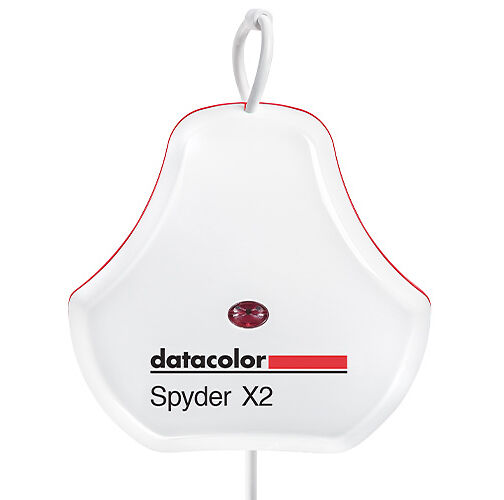
DataColor’s Spyder X2 Ultra is their brand new flagship colour calibration tool for “HDR/high brightness monitors” and those with “advanced calibration needs”. DataColor claims the X2 Ultra to be their fastest and most accurate calibrator to date that offers a higher level of control than the Spyder X2 Elite and X Pro models. Today we’re going to see if it lives up to expectations.
License Code
Inside of the box that the calibrator comes in is a sticker adhered to the bottom that gives you the unique serial number for your device. You need to register this serial number in DataColor’s software to generate a License Code (which unlocks the software) before you are able to use the product.
Down the track, if you lose the box for your device (and hence lose the serial number) or lose your license code (which is not written down anywhere as it’s generated ‘on the fly’ for you in software), you are unable to reinstall/register any new instance of the software, or use it on any new machines.
You will have to contact DataColor with proof of purchase to recover your lost key: https://imagescience.com.au/knowledge/lost-datacolor-spyder-product-key
In my opinion, DataColor’s decision to implement a physical license key/serial number arrangement for a hardware device in this day and age is archaic and unnecessary. Having physical possession of a piece of hardware should be enough to ‘unlock’ it’s companion software by itself, without the need for multiple easily-lost keys and a complicated registration process. This is how Calibrite (formerly X-Rite) do it with their calibrators - the device itself functions as the key - it is intrinsically linked to it, so as long as you don’t lose the device itself, you’re golden. Plug it in and hey presto, it just works.
At the very least, the convoluted series of steps necessary to simply get it working for the first time is a point of friction and decreases the overall smoothness of the user experience.
USB Port Selection
The next bump in the road will probably not affect most users, but it’s worth mentioning.
It may just be a finicky Windows thing, but either the device or software was very picky about which USB port it was plugged in to when we tried it. None of the front panel USB ports on our machine allowed it to be recognised (despite the same ports being in regular use, including with other calibrators, with no issues). It was only when we plugged it into the rear ports on our machine that the software picked it up.
If you’re having issues with your Spyder device being recognised it may be worth playing around with which USB port it is plugged in to!
Next, onto the software itself.
This can be downloaded from: http://goto.datacolor.com/getspyderx2
DataColor claim their “Remastered software provides a cleaner more concise user interface (UI) experience”, and I’m inclined to agree with them.
The user experience of the software (once you get past the initial setup and licensing) is quite good. Nothing is really hidden, each of the settings are nice and obvious and clearly labelled. Everything is in a seemingly logical place and well presented.
Purely in terms of user-friendliness I would rank it above Eizo’s ColorNavigator and BenQ’s older Pallete Master Elements, perhaps more on par with BenQ’s new Pallete Master Ultimate or Calibrite Profiler - in other words, quite good.
Calibration speed is nice and fast - on par with the Calibrite units.
When booted up, the software’s ‘home screen’ presents you with two distinct options: Display Calibration and Soft Proofing (more on this later).
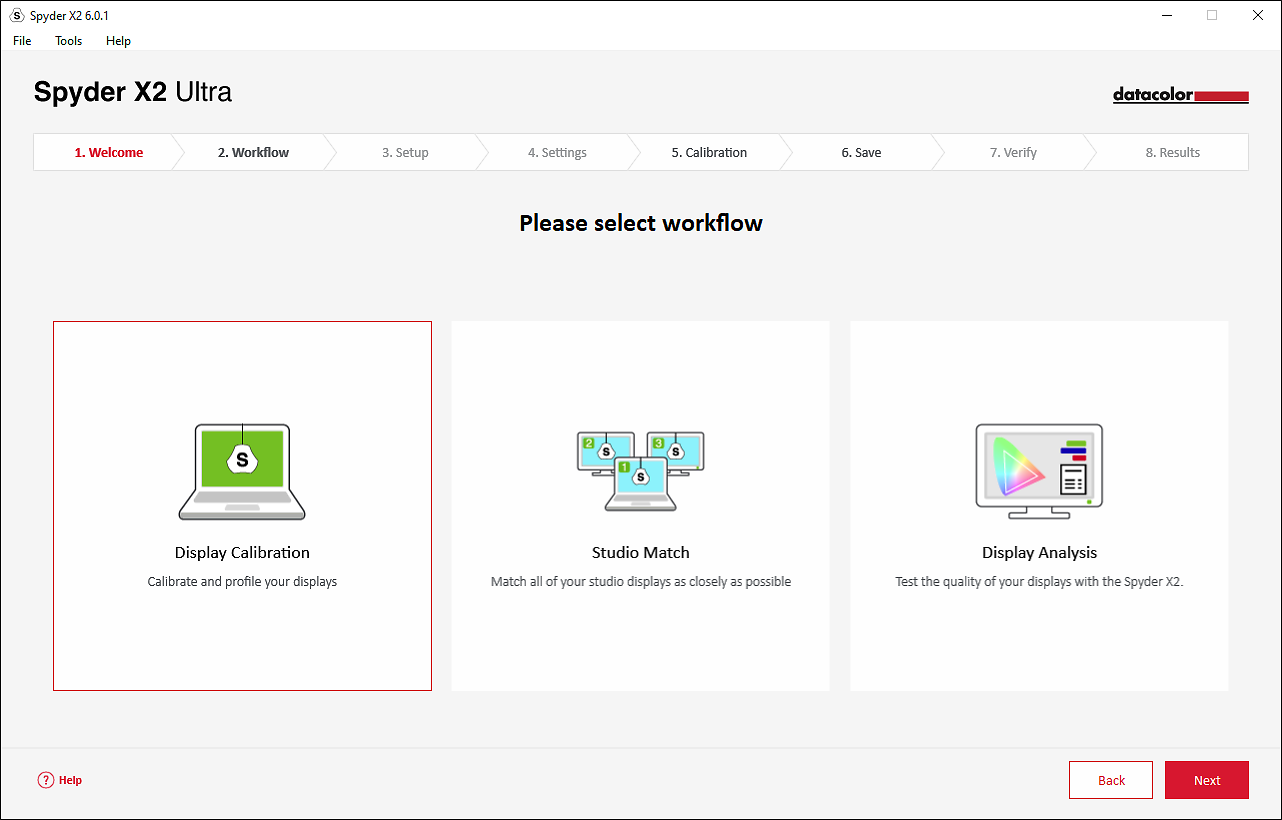
If you go into Screen Calibration, you will be presented with a further three options: Display Calibration, Studio Match, and Display Analysis.
As the name implies, Display Calibration will allow you to calibrate your display, after first specifying your Display Setup and Calibration Settings.
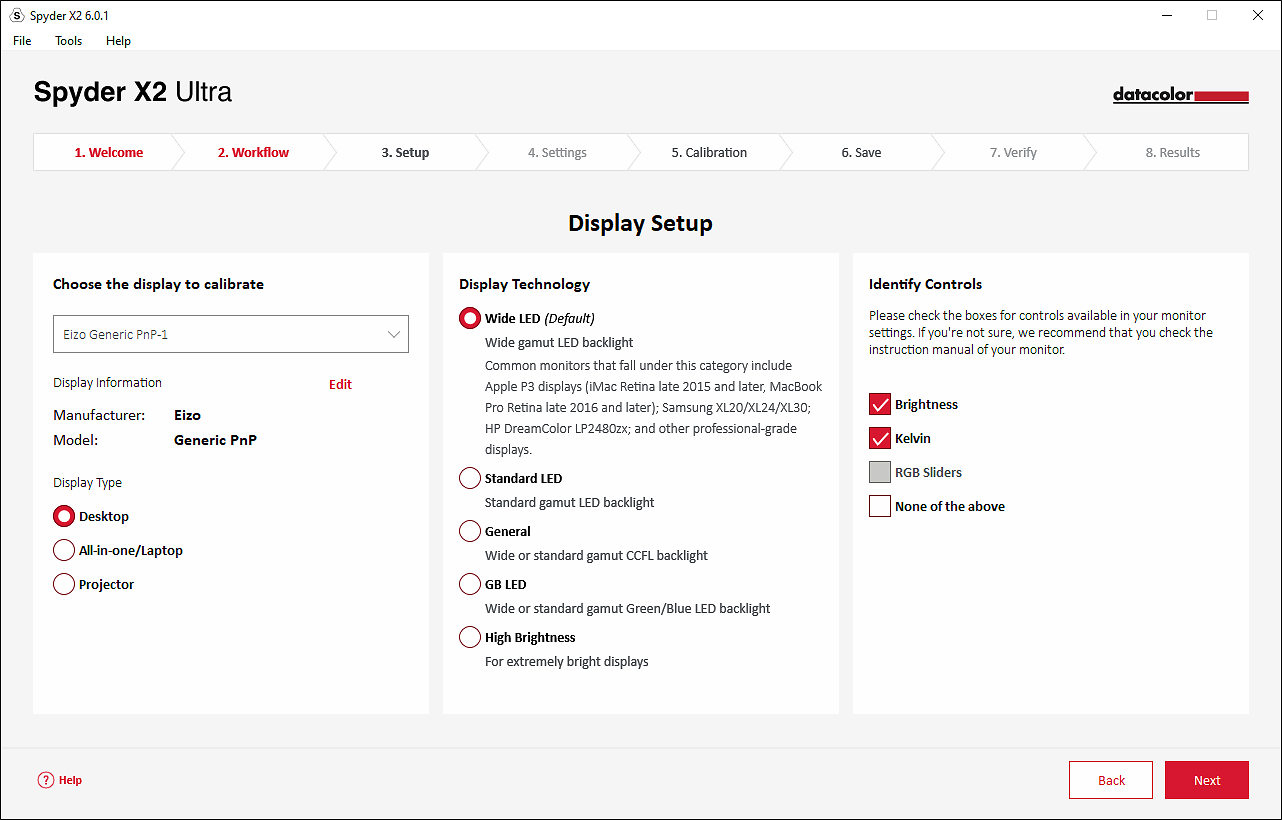
Display Setup allows you to specify which display/device to calibrate (desktop vs laptop vs projector, plus which screen if you have multiple), what backlight type it has (Wide LED, Standard LED, General, GB LED, High Brightness), and what controls it has (Brightness, Kelvin, RGB Sliders).
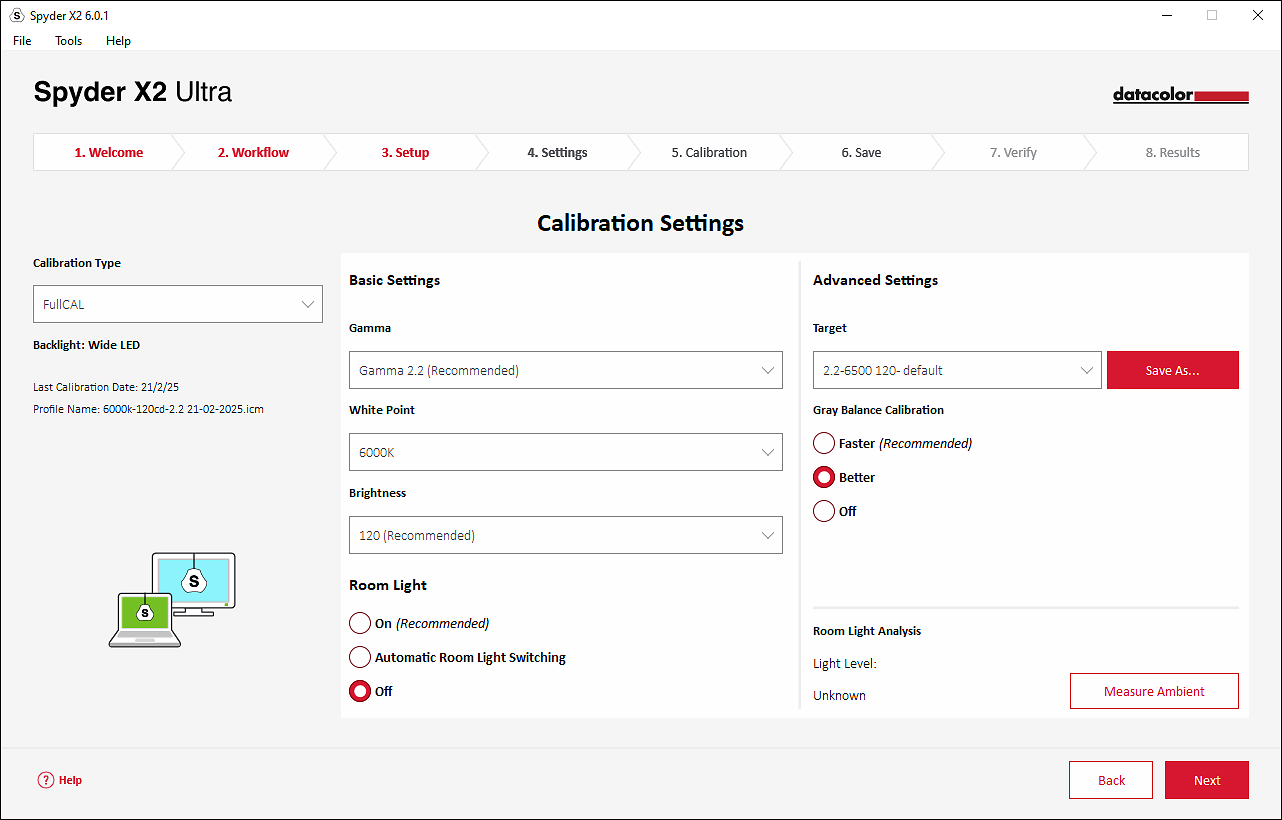
Calibration Settings allow you to specify Calibration Type (FullCAL, ReCAL, CheckCAL), Gamma, White Point, Brightness, Room Light Correction/Analysis, Target, and Grey Balance Calibration.
We usually recommend Room Light Correction is turned off as it’s just too inaccurate/variable for a consistent result. It’s much better to manually keep your room light consistent instead.
For more information on what settings you should choose see our articles below.
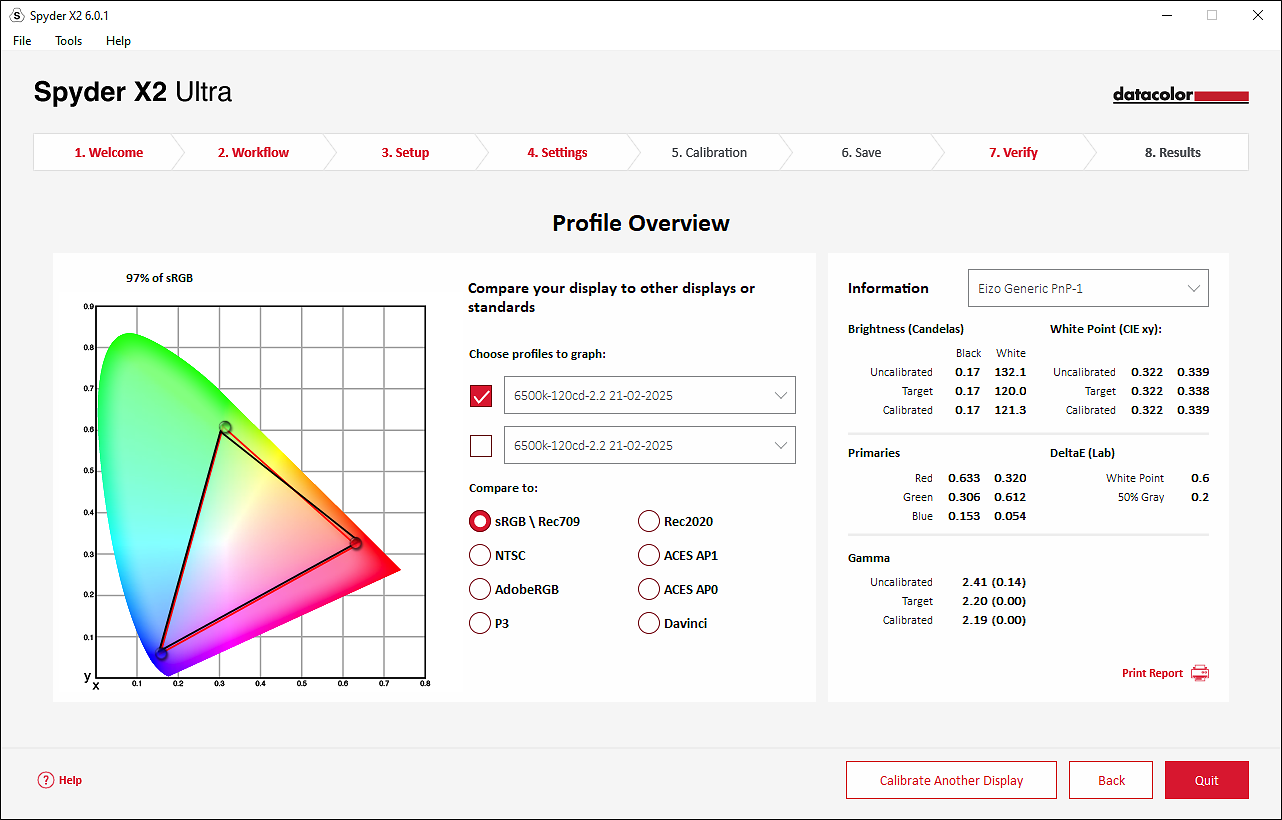
After the calibration finishes, you will be presented with a results screen that shows you the actual calibration result versus your specified target. It also allows you to compare your result with different colour spaces.
Studio Match
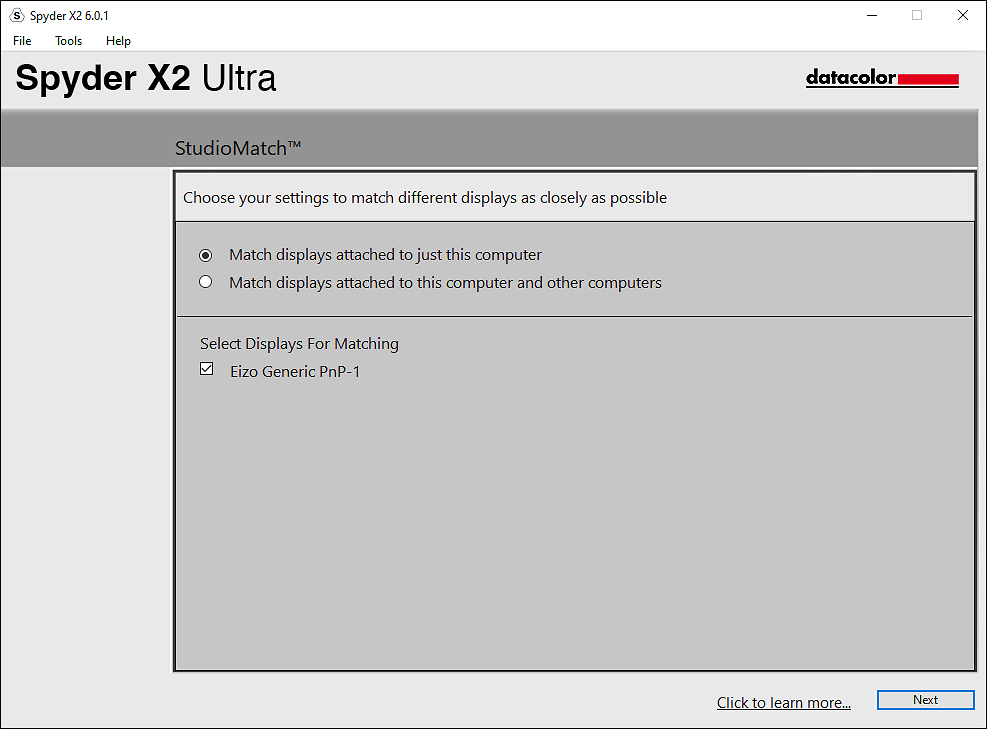
On Studio Match, DataColor say: “Studio Match provides simultaneous side-by-side calibration for multiple computers/displays. Ensures consistent and accurate color reproduction across multiple connected monitors with most monitor types”.
While I appreciate the intention, I do have some issues with this at a fundamental level. While it is certainly possible to calibrate dual monitors to the same target and them both independently test perfectly within error tolerances, it is nearly impossible to have perfect visual synchronicity across multiple monitors that are side by side.
Jeremy goes into this phenomenon in detail in the below article, but suffice to say that even two monitors of exactly the same brand and model, bought on the very same day, connected to the same computer, calibrated with the same calibrator, to the same exact target settings, 99.9% of the time will not appear to visually match even when perfectly calibrated.
See more info here.
Display Analysis
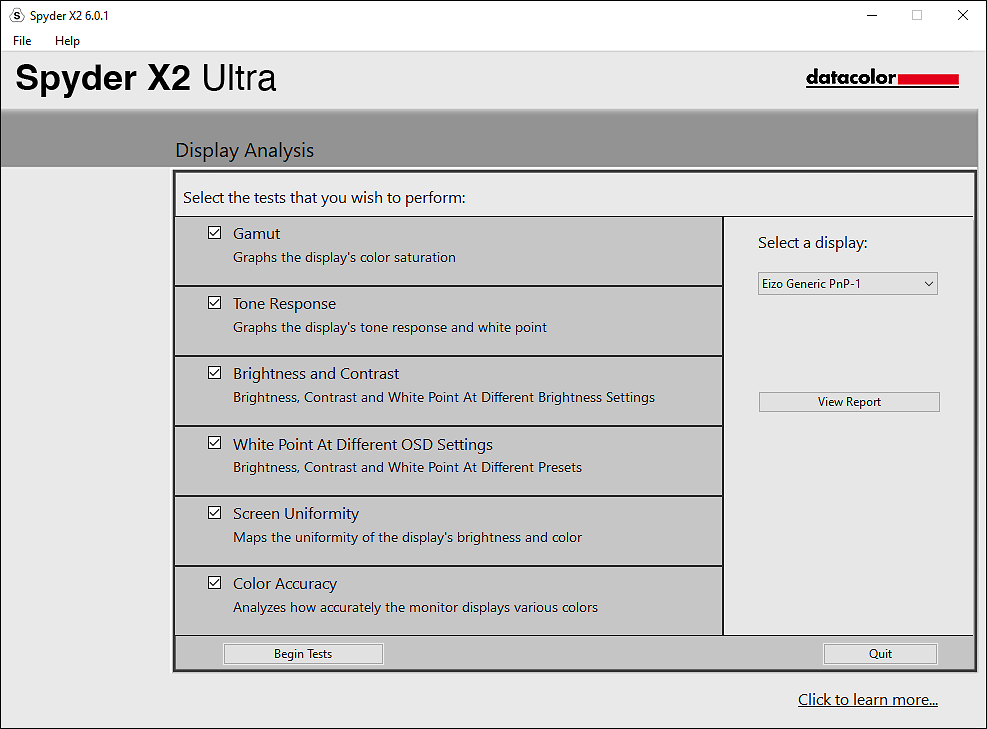
Display Analysis runs a series of 6 tests on your monitor to ‘see its strengths and weaknesses’ as DataColor puts it. These range from Gamut, to Tone Response, Brightness and Contrast, White Point at different OSD settings, Screen uniformity and Colour Accuracy.
Having all of this packaged into the one area is quite nice, and I can see this being useful for beginners or if you know nothing about your display and want a bit of a gauge as to what it might be capable of. Most higher end users will generally already know these sorts of stats and exactly what they’re looking to do, so perhaps of more limited usefulness for them. A nice addition to see overall though.
SpyderTune
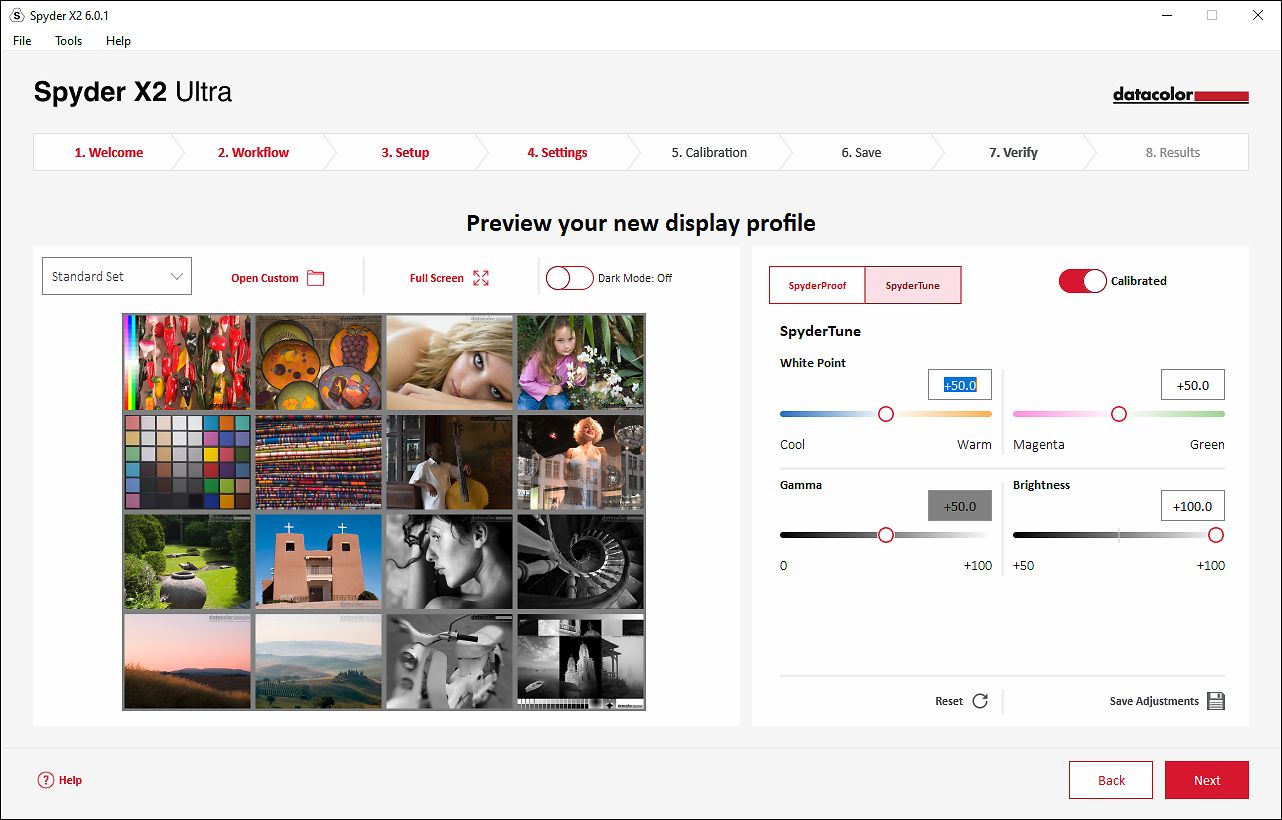
Following on from Studio Match, the software does have a function called SpyderTune that allows you to tweak a calibration and bias it a certain way in terms of brightness, temperature, tint and gamma. It is similar to Eizo's Manual Adjustment tool, but less advanced and less accurate.
Do note that the figures in SpyderTune do not have actual units (cd, kelvin etc) associated with them, they are just crude +/- integers with no units (e.g. +50, -25, 0, +7, -99 etc), which can make referenced adjustments hard, as who knows if ‘+1 brightness’ means +1cd or +10cd?
DataColor do have a warning to “Only use SpyderTune if absolutely necessary”, and I would agree - unless you are very sure of exactly what you are doing, you can do more harm than good fiddling with settings in here, as you will be deliberately skewing an other acceptable calibration. Be warned!
Soft Proofing
On Soft Proofing, DataColor say: “Allows you to simulate other displays and devices on your calibrated screen. For printers, you can see how prints will look for a specific printer model, paper and ink, and upload ICC printer profiles”.
I would say, that in general, this is a very useful and nice addition to have. So long a you understand what exactly you are doing and the limitations of doing such. Advanced soft proofing in hardware is often the last link in a long and complex chain of colour management, that when done right, is an incredibly powerful tool that allows you to get insanely close screen to print matching.
If you’re looking to eek out the last few percent of accuracy by doing soft proofing in hardware then it is really best done with a proper high-end, hardware-calibratable, wide-gamut display such as an Eizo CS/CG or BenQ SW, which allows for 10-bit calibrations in hardware and extremely fine adjustment (which would be utilising either Eizo ColorNavigator or BenQ Palette Master Ultimate instead of DataColor’s own software). Trying to do this on lower end screens which do calibrations as 8-bit ICC profiles/LUTs - while not fruitless - is perhaps a bit antithetical to the aim of advanced soft proofing. Just be realistic with your expectations if doing this.
More info in this article.
The Spyder software has some more advanced tools slightly hidden away in the 'Tools' menu that for more consummate users make for some powerful additions. If you’re not 100% confident in your knowledge, definitely don’t go messing around in here as you have the potential to throw things off drastically. These include:
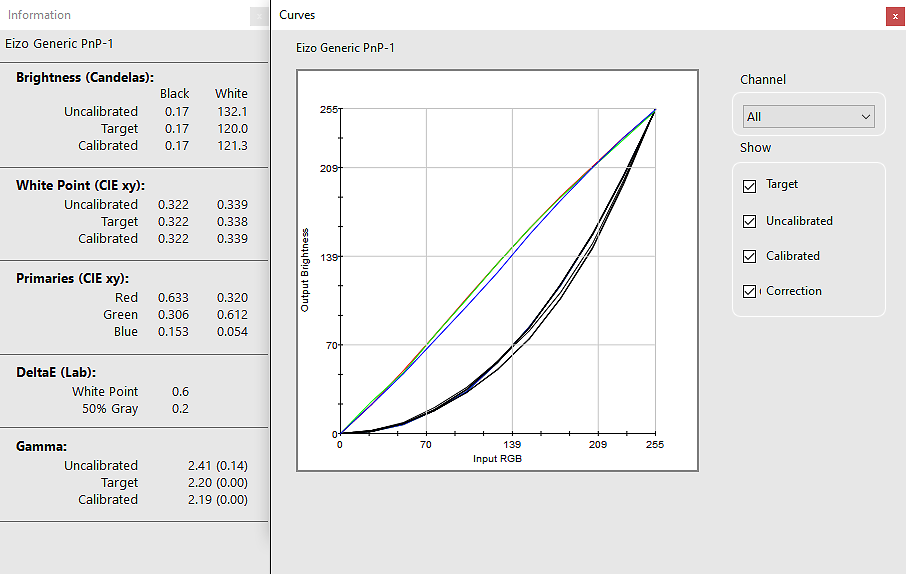
Curves - Compare the different gamma and white point adjustment parameters of your display in the form of a graphical curves.
Information - View a report of absolute values for the current calibration of the selected display.
Colorimeter - Use your Spyder X2 to measure any RGB colour on the screen.
History - Tracks and displays historical display luminance data as measured during your calibrations over time. Has both Graph and Detailed Data views.
Edit Curves - Adjust the Calibrated curve using the arrows below the graph to change each control point.
The new X2 range models all use the same physical hardware. The differences between the models are purportedly all in the software, and supposedly if you buy an Elite then you are able to upgrade to the Ultra later (so we're told - we have not yet done this or even seen how it works!).
We are very happy to see that with the release of the X and now X2 range, DataColor seem to have finally solved their planned obsolescence issue/approach.
The older DataColour calibrators used dye-based filters that had a bad habit of changing behaviour over time and hence introducing inaccuracies and fundamentally invalidating the whole process of calibration.
The new models now advertise they use a lens based approach (like the Calibrite units) and thus won't have the issues of change seen with the old dye based filters.
This was/is one of the main reasons why the Calibrite units were always our top recommendation for calibrators, and why we would traditionally steer people away from the DataColor units.
To clarify, our chief concern here is with the company, more than the product itself, and their track record which is a bit chequered (e.g. releasing Spyder3s with dodgy filters as per above, resulting in literally years of faulty calibrations and support issues for us to deal with!) To be fair, that was many years ago, and we've not had reports of any such issues in a long time. It's just that, in all, we trust the Calibrite (formerly X-Rite) products so much more as their track record for accuracy and reliability is just so much better.
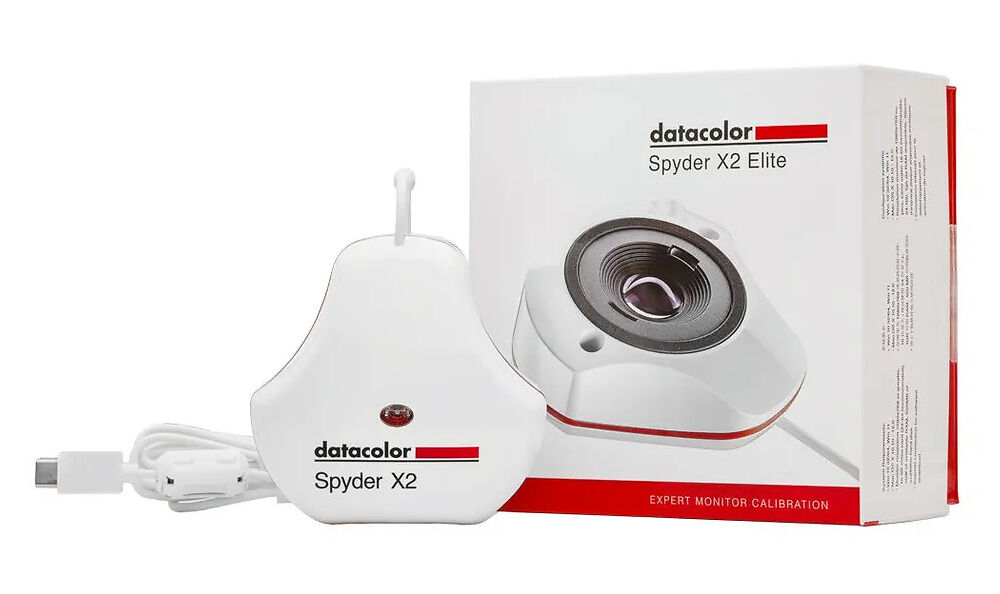
The cable is now terminated in a USB-C connector (hooray) to make it more widely compatible with modern computers. They also include a USB-C to USB-A adaptor for older computers without USB-C ports.
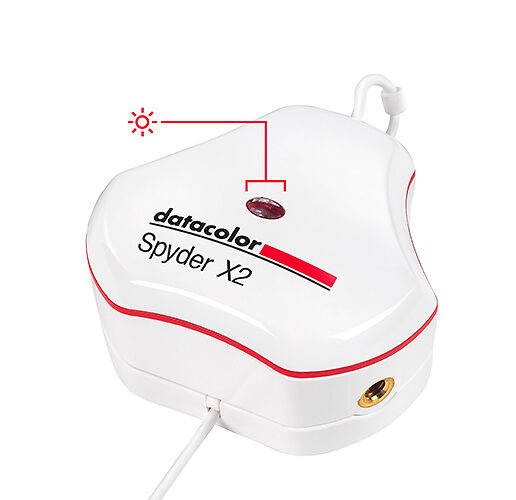
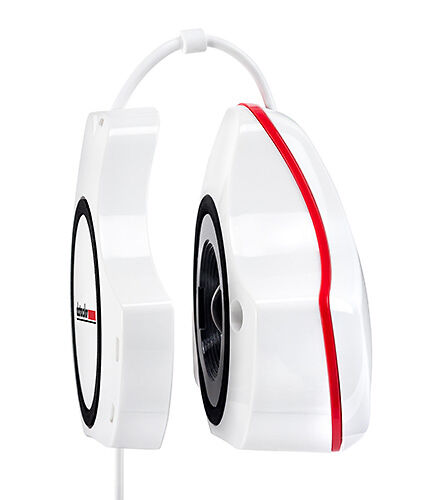
Aesthetically the new X2 units feature the exact same shape, size, and distinctive white and red colours as previous models.
I will say that compared to the Calibrite units the flatter profile of the X2 essentially gives a lower centre of gravity and means the unit is slightly more stable when placed against a display, which I do like.
The unit features a standard 1/4”-20 tripod mount on one of the ‘lobes’ for if you are calibrating a projector.
The top face has the room light sensor inset behind a small clear window - we recommend you disable this in the software though.
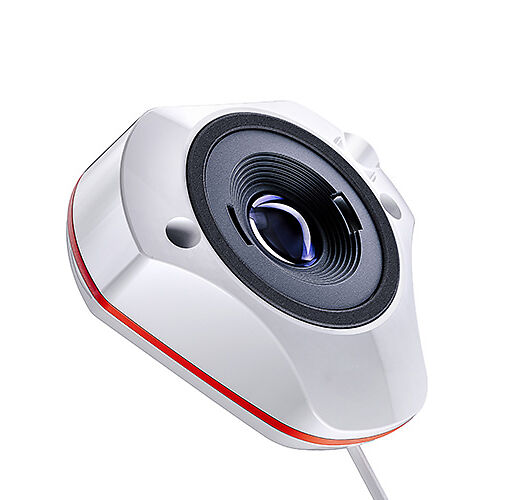
The lens cover does double duty as the counterweight, which is a nifty design choice. It’s possibly just manufacturing tolerances, but the cover on our particular sample does not secure very tightly at all, it barely holds onto the unit, and the slightest bump causes it to fall off, which I could see potentially leading to it detaching unintentionally (e.g. in a desk draw) and the exposed domed lens surface getting scratched (even by the cover itself, which has several sharp protrusions inside). This is in contrast to Calibrite’s recessed flat lens design, that means even if the integrated cover were to detach the lens would still be protected.
The cable is 1.6m long, but in practice this will be shorter as the cover/counterweight has to slide down the cable a bit to give enough room for the cable to loop over the top of the screen to hold the unit in place. Expect closer to 1.2m of usable cable length depending on your monitor size. This is somewhat shorter than the 1.8m usable length of the comparable Calibrite model.
OLED Calibration
Short Answer: Not compatible with high contrast displays.
Long Answer: DataColor say “While it may be possible to use the Spyder X/X2 to calibrate certain types of OLED displays, we cannot guarantee the accuracy of the resulting calibration. Currently, we do not recommend using a Spyder X/X2 to calibrate any type of OLED display for color-critical applications”.
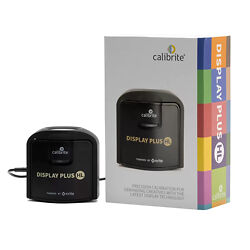
At the time of writing, there are no truly colour-accurate OLED displays that exist on the market (hopefully this changes soon!), so this may be a somewhat of a moot point. If you are looking to calibrate high contrast or OLED displays you will probably need to look at another device (e.g. Calibrite Display Plus HL).
HDR Calibration
Despite claiming it is suitable for “calibration in today’s HDR/high-brightness monitor market” and is ideal for “HDR content production”, it is in fact not!
If you dig into it a bit, DataColor clearly say the following: “Spyder X2 does not do an HDR calibration as HDR is a dynamic image enhancement technology. HDR should be disabled prior to calibration”.
They also say to “make sure HDR mode is turned off before calibrating your monitor to avoid inaccurate results”, expanding further to say: “To measure your display, stable measurements are needed. HDR and dynamic functions can make color values shown on screen by the Spyder software unstable. To correctly measure a display for calibration the Spyder software needs to be able to render and measure stable colors”.
I will acknowledge that this won’t really be applicable for the photography/stills/printing crowd - which is what we focus on here at Image Science - but may potentially be applicable more for the video crowd, but even then your 2000cd peak brightness limit will be more of a limiting factor here, plus the fact that true HDR calibration is a lot more complex than just slapping on a colorimeter.
Peak Luminance Capability
An important difference to be aware of is peak luminance calibration capability. The X2 Ultra unit we are reviewing tops out at 2000 cd/m2 brightness, while the Calibrite Display Plus HL goes all the way up to an astounding 10,000 cd/m2.
To be fair, this won’t be an issue for most people, who will be calibrating far below these high figures (e.g 80-100cd for fine art printing), but if you’re wanting to calibrate specialist high luminance or HDR displays, then you’ll probably need to look at the Calibrite unit instead, or something even more exotic (in the case of true HDR).
All in all, DataColor’s new Spyder X2 series of calibrators have made some very welcome and frankly well overdue improvements to finally bring it more in line with the industry standards.
The software is much improved, very user friendly and has some nice value-add features. Also, the new lens based design should mean the units remain accurate for a much longer time than previous models.
Despite this, the archaic implementation of license codes, false advertising about HDR capability, loose fitting cover that could lead to damage, and overall chequered company past do leave a bit to be desired.
At the time of writing, the Spyder X2 Ultra's RRP is $525, while we currently sell the superior Calibrite Display Plus HL for $469. Going for the Spyder, you would be paying a fair bit more for a product we feel to be objectively worse, which of course makes it hard for us to recommend.
It has now taken DataColor 6 generations of their product to get to this point, and overall our trust still definitely lies with Calibrite products, which, across the 20+ years we've selling both, have proved an overall far more trustworthy option - with considerably less support issues and returns to deal with over those years.
Calibrite have been the industry standard professional calibrator for over 20 years now for good reason, and our stance will remain the same in recommending them despite the not inconsiderable improvements that DataColor have made in these new units.
- Simon W -If you could pass on to the person/people/team behind the website that it is easily the best in Australia for this service. Very informative, slick and a joy to use. They have obviously invested a lot of time into SEO and content research and I thought I should mention it will continue to work wonders for the business. I looked at and have used a few other prolabs and nobody comes close!