▪ Get $200 off BenQ PD3225U and PD2725U monitors for a limited time only! See details here.
▪ Get a FREE Ergo Arm worth $169 when you purchase an eligible BenQ monitor! See full details here.
Please note that we are open by appointment only (except for click and collect pickups once notified ready).
BenQ's new PD3225U monitor brings their first 'IPS Black' panel to the PD range.
IPS monitors are notorious for having relatively weak blacks - the famous 'IPS Glow'. It's not such a big deal for work destined for print, or in general purpose daily use in a normally lit environment, but it definitely has an impact on some things - like video editing, or watching content in a darker room, say.
The colour accuracy of an IPS panel is essential for a high quality content creation work, so in general we've mostly had to live with the issue until now, or solve it (somewhat) by investing in very high price monitors with better black performance (like the Eizo CG2700X).
It's great to see new innovations to improve the black performance now coming to lower price points, and this monitor is clearly a harbinger of new models to come.
Let's dive in and take a look.
The BenQ PD3225U 4K Designer Monitor is new from BenQ in May 2024.
It's particularly note-worthy as the first PD Model to feature an (LG made) 'IPS Black' panel. More models with this technology will undoubtedly follow.
IPS Black panels offer significantly higher contrast and generally improved performance - better viewing angles, better grey (particularly low grey) accuracy, and a generally more vibrant and real quality to image reproduction.
We've seen similar improvements in much more expensive models - ones designed for professional level video editing, for example - but this is the first time we've seen this sort of display performance come down to the lower price point of the BenQ PD range.
Let's look at the basics first.
Key Specifications
New - IPS Black Panel
The first member of the PD range to feature a next generation IPS Black panel - See BenQ's introduction page on IPS Black monitors.
The raw panels are made by LG, and their IPS Black panels are an attempt to solve one of the most stubborn issues with LCD panels - that of elevated black levels, and the resulting low contrast and backlight bleed issues.
Because LCDs use back-lighting, rather than self-emitting pixels, this is an inherent disadvantage of, and problem area for, LCD technology.
It is worth noting that even with this IPS Black technology, realistically the the blacks remain well off the performance you get from other technologies like OLED and MicroLED. But those technologies come with their own issues, and in any case we're yet to see affordable, colour accurate options with those alternate technologies - so for now LCD remains the obvious choice for most colour accurate scenarios.
New - VESA DisplayHDR 400 Certified
This new model achieves VESA DisplayHDR400 certification (v1.1, not the considerably more stringent v1.2 certification that is just coming out at time of writing).
This is the entry level certification from VESA, but means you do get at least some real HDR viewing and editing support, something simply not possible with the prior model.
In my viewing tests, you definitely do get a distinct HDR experience - and with the 32" panel, you can definitely use this model as quite a nice TV replacement if you're looking for an all-in-one type device.
Please see our recent PD2706U evaluation for more on this level of HDR.
We've covered quite a few of the PD monitors recently.
(see several recent articles: https://imagescience.com.au/se...)
...so today we're not going to cover every feature in detail, but rather discuss the most pertinent features and interesting new technologies, and cover the key questions that our customers ask us about these monitors.
The DesignVue/PD Range...
Who They Are For
BenQ call these 'Designer' monitors, and we're fond of calling them Content Creator monitors here at Image Science.
We think they are ideal for all sorts of creative tasks - from CAD/CAM, to 3D modelling, Graphic Design and Publishing, Marketing, etc etc.
Of course, if you need really stringent colour accuracy - e.g. you're a product photographer, you work in paint, fashion or automotive - where only perfect colour will do - then you should definitely instead be looking at the BenQ SW range - purpose designed for high end colour work.
Even within the PD range (AKA the DesignVue range), there are basically two levels.
(See our full BenQ DesignVue range page).
Most Affordable Options
This level offers most of the core features of the PD range, but perhaps lack a few of the nicer design touches and bells & whistles of the more premium models.
The BenQ PD2706U is a great example (see our recent evaluation) - a very keenly priced Content Creator monitor that delivers incredibly bang for buck. We use on of these as the secondary monitor on our marketing desk.
There is also the BenQ PD3205U at this level, if you want the bigger option.
The True Designer Options
These are the premium designer/content creator models. These have all the bells and whistles, and noticeably nicer physical design on the units themselves (smaller bezels & premium finishes etc.).
This new BenQ PD3225U enters this level of the range as the new flagship option in the PD range, and the only one (to date) with the IPS Black technology. We think it's particularly relevant to desktop video editors, but of course it's equally at home with many other content creation tasks.
Our favourite (until now?) PD range monitor has been the excellent and lovely BenQ PD2725U (see our evaluation), which we're currently using as our primary monitor on our marketing desk (i.e. where all our own content creation work is done!).
The major new feature of the BenQ PD3225U is the IPS Black panel - but how good is it really?
Let's start by looking at monitor designs in a bit more detail. There are, at time of writing, really three basic ways of achieving flat panel light emitting devices - that is, monitors (AKA TVs etc). Most of these technologies have come from the TV world, more so than the desktop monitor word, so in general we're talking about the context of watching video primarily in this section.
LCD (AKA LED LCD) - is by far the most common technology. Essentially, you can think of this as some backlights with filters in front of them to turn that backlight into the coloured pixels you see.
This design is simple and cost effective, but it has the issue that the backlights are always switched on - they need to be so that the bright parts of an image can be displayed - but this makes shadow control very difficult as you have to effectively design filters that can output the bright colours at the top of the range, but also effectively suppress light at the other end of the range.
This issue has proved a tough nut to crack, and whilst these types of display excel at high brightnesses, they tend to offer quite poor shadow performance, with observably weak, milky shadows. Hence the recommendation for LCD TVs as being good in bright rooms.
Traditionally, LCDs use edge lighting - the lights are around the edge of the panel and shine in towards the centre. Fundamentally this is what has led to so many difficulties with achieving both display uniformity and high quality shadow rendering.
As a step up, we have array lighting with local dimming technologies
(AKA array/local-array/Mini-LED). These approaches are variations on
the classic LCD approach. Here, the panel is instead lit from the rear
by an array (grid) of small LED lights. Each of these lights a zone of pixels, and each zone can (usually) also be turned off completely.
This happens very quickly, instant to instant (thanks to the insanely
quick switching behaviour of LED lights) - and can be quite effective
in controlling the backlighting, such that bright areas remains bright
but dark areas are much darker.
The more zones, the better this works - too few zones and you can get 'blooming' or light leak around bright parts of an image that appear next to darker areas. In recent times, it is common for very small 'Mini-LEDs' to be used, resulting in thousands of very small zones, so this blooming issue becomes less of a problem.
At the other end, we have the OLED type designs - in these, each
individual pixel of the display emits it's own light - and each can also
be turned on or off individually. This gives so called 'perfect
blacks' - i.e. when a pixel it is off, the black is almost 'infinite' -
no light is coming out of it at all (of course you may see reflected
room light in those inky blacks - hence the recommendation for OLEDs
being best in darker environments!). OLEDs also have traditionally
struggled to hit the peak brightness points that HDR content is looking
for, but they excel in the area of contrast and shadow details (and even
with HDR content, the vast bulk of what you are seeing lies in this
lower range - which is why OLEDs are the obvious choice for better
quality displays in most scenarios).
Micro-LED is effectively a further extension of the Mini-LED approach, such that the LEDs used are so small that each pixel has it's own individual light, effectively bringing the potential of OLED like behaviour (and performance) to the table.
(Of course there are many other aspects and pros and cons to each type of design - this is by no means the whole story!)
Again, this discussion mostly references display of moving images - i.e. watching video content. On a desktop monitor, technologies like local dimming are mostly not used - simply because issues like 'bleeding' around light to dark transitions are MUCH more noticeable on a static image than an image updating, say, 60 times a second, with the content in motion.
To date, we see mostly edge lit designs for desktop LCD monitors, and
particularly those that need IPS Panels - i.e. colour accurate panels.
Which means - until e.g. we start seeing colour accurate desktop OLED
models appearing - that other approaches to improving black performance
(vs. local dimming) are required in this context.
Unfortunately, it's actually quite hard to find any solid information on what, actually, IPS Black really means in terms of what LG have actually done (although it appears to be a change to the liquid crystal material itself, i.e. a change to the 'filters' I was talking about above).
Various approaches have been used in the past - e.g. a more aggressive polarisation layer in the panel - but those have the quite noticeable disadvantage of significantly decreasing the off-axis colour accuracy of the panel - which really was the whole point of IPS panels to begin with.
What we do know is the effective outcome - a maximum contrast of 2000:1 vs the more typical 1500 or 1000:1 IPS panels normally seen.
I can say that it's noticeable in practise. There's definitely a noticeable inky-ness to the blacks that most other LCDs lack. There is less backlight bleed, although in a dark environment, there's no question that some remains. The blacks are without doubt less milky and impaired by blue tint than typical monitors show.
Next to a decent OLED - well, they're still pretty poor blacks, objectively, when all displays are considered. But next to the vast bulk of other desktop LCDs - the only fair comparison here - the blacks are very good, and definitely a noticeable and pleasurable improvement. (We've seen similar levels of performance before, for sure, in e.g. the Eizo CG700S and CG2700X - but those are in a fundamentally different price category!).
Compared to my Eizo CS2740 - which I had next to this BenQ for most of the evaluation period - a beloved monitor, and until recently the most popular choice of serious image makers, with only the recent BenQ SW272U knocking if off that perch) - if it were just about the blacks, then you'd choose the BenQ every time, as they are demonstrably better. (Of course for high end imaging work, like art reproduction or professional retouching, the amazingly accurate Eizo remains the clear choice - but for a lot of other less demanding content creation work, the BenQ PD3225U would be up to the job for sure).
But - beyond the blacks themselves (and how many areas of black does one really look at in most work anyway?) - other things are more noticeable in practise, even when comparing the PD3225U to other models in the excellent PD range. The greys, and particularly lower greys - are much better and more neutral. The viewing angles are very good - and especially with a big monitor (often used for display and side-by-side work) - that's of real importance.
All in all, this is without question the visually best display so far in the PD line. The PD line offers very good performance at a very cost-effective price, generally, but this is the best yet in raw image quality terms.
Versus another PD model, you'd likely only really notice the difference in certain scenarios, though - e.g. watching content in a darker room and that sort of thing. It's not a dramatic, huge leap forward, but it IS a definite improvement.
In practise, I think if video editing (and particularly low key video editing) is a substantial part of your content creation work, then this would be the model to consider for sure.
At this size, 4K is not really a lot of pixels per inch, by modern standards. At 140 PPI, this noticeably below the 200 PPI standard for so-called 'retina' displays - although that figure originates more from phones, which you of course hold much closer to your eyes. For monitors, generally about 150PPI gives a similar effect due to the greater screen↔eye distance.
You simply don't quite get the same feeling of page-like sharpness you get from smaller 4K units. 4K on a 27" screen I find to be ideal (albeit technically this is still only ~165 PPI. With those, you're at the point of sharpness that you just don't feel any practical need for more. Text and even very small UI elements are rendered very sharply and are easy for the eye to parse. But that same 4K resolution stretched over a 32 inch monitor is just not quite the same.
In a perfect world, you'd have 6 or 8K on a display this size. Those days will come, of course, but we're simply not there yet, and of course it's not just about the monitor - more and more computing power is needed to drive more and more pixels.
For now, at this size, 4K is as good as it gets on colour accurate displays, so the question is kind of moot. Just note that if you're after maximum sharpness, you might prefer the 27" models (like the BenQ PD2725U) - although you won't get the bonus visual performance of the IPS black panel.
(On the other hand, if you're somehow still worried about issues with 4K - those days are really long behind us now).
By now, we know what we're getting with BenQ's DesignVue (PD) monitors.
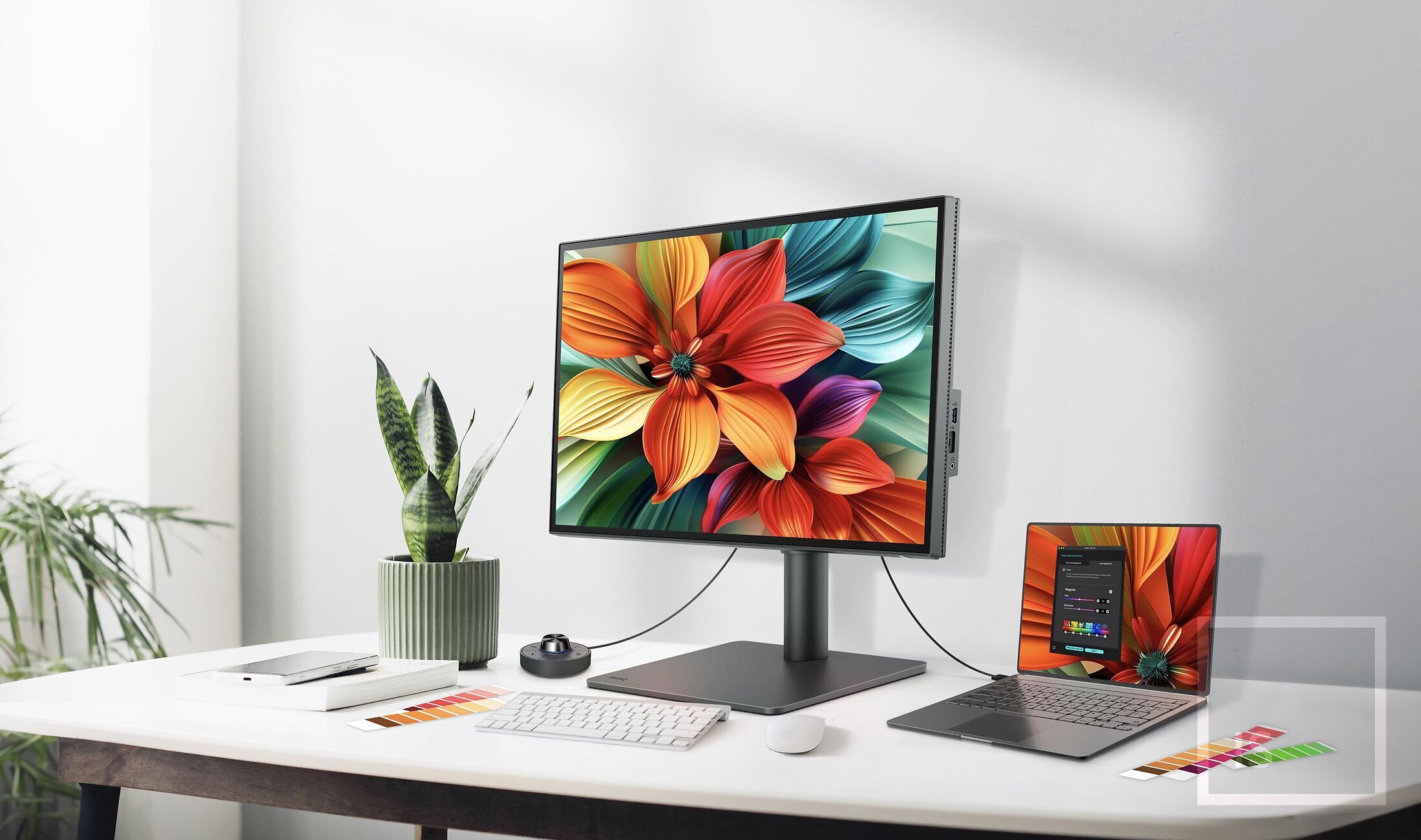
Very nice industrial design, and a lot of performance bang for buck. These are 'feature forward' monitors, with a colour rendering quality level that is high enough for a lot of professional uses (and way beyond what most monitors achieve!).
You get all the modern niceties - modern inputs like USB-C with power delivery, skinny bezels, excellent controls and menus etc. (including the ever popular programmable 'hot key puck') - plus a professional quality, matte-surfaced display offering very good colour accuracy.
32" monitors are the current top size (barring things like ultra-wides etc., generally not available in colour accurate ranges). The popularity of these large sizes is increasing, as folks get more used to large screen displays on their desktops. There's no denying the pleasure of seeing your work displayed at this large size.
Here at Image Science, we'll always favour the SW range for our 'serious' work. Their precise accuracy and support of advanced features like direct hardware calibration are so useful for the sort of very high end imaging work we do here, and particularly for print work.
The PD range offers a great compromise - you spend a lot less but you still get excellent performance. Given the current cost of living pressures, that makes this range of monitors a sensible choice for many. And the new PD3225U is, in all, the new big and beautiful king of the PD range, so should be at the top of your short-list for consideration (especially if you work with video, or most of your work ends up on screen rather than in print!)