▪ Get a FREE Ergo Arm worth $169 when you purchase an eligible BenQ monitor! See full details here.
▪ Flash Sale! Get 15% off BenQ MA320U monitors until June 7th.

Please note that we are open by appointment only (except for click and collect pickups once notified ready).
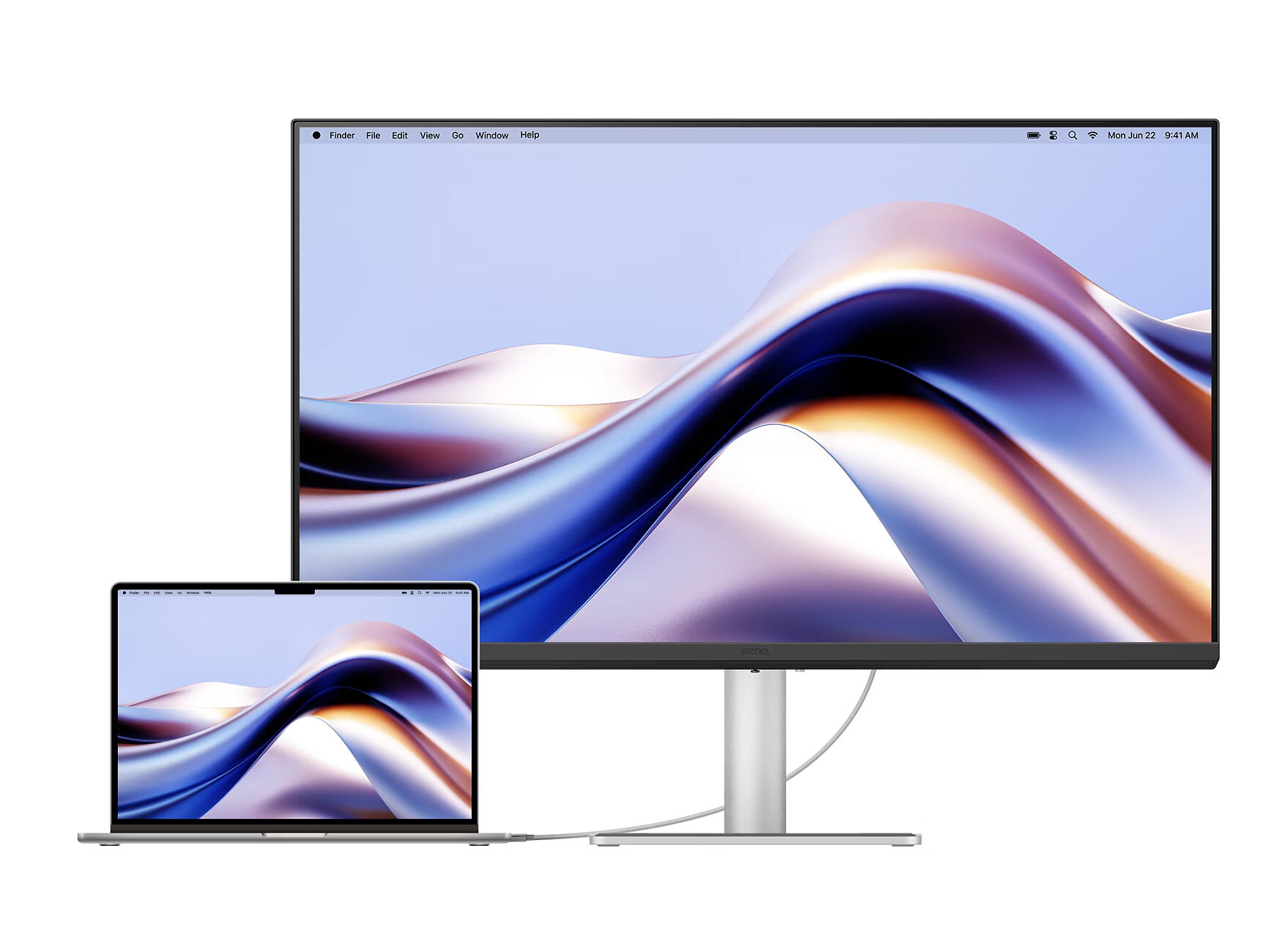
The BenQ MA320U 32" monitor is positioned to expand your MacBook's view with consistent colours through just one cable.
The BenQ MA320U occupies a very specific niche: a large, affordable 4K monitor designed to pair cleanly with a MacBook, while offering just enough colour performance to stretch into light creative work.
To be clear, it’s not trying to compete with true colour-accurate reference displays or Apple’s Studio Display directly, so it’s definitely better judged on those terms; however I will mention those areas for contextualisation purposes.
At 32 inches in size (technically 31.5 inches), it immediately sets itself apart from smaller, more common 27-inch options (though the 27-inch version of this screen, the MA270U can be found here). The combination of size and it’s 4K (3840×2160) resolution makes for a comfortable and spacious desktop. Text is sharp, multi-window multitasking feels natural, and the extra physical screen area reduces the need for aggressive scaling like with 27” 4K displays. For productivity alone, it’s a pretty strong foundation.
BenQ leans into colour as part of the MA320U’s appeal, and to be fair, it will deliver a solid visual experience for most people. Coverage of roughly 99% sRGB and 97% P3 puts it comfortably ahead of basic office monitors, and in day-to-day use colours appear vibrant, balanced, and generally pleasing.
For web content, UI work, and even light photo or design tasks, it holds up quite well. Most average users will find the colour performance more than sufficient, and the panel doesn’t feel constrained in typical digital workflows.
However, while it is not it's intended purpose, I do need to contrast and contextualise where it sits in the grand scheme of imaging monitors, the limitations of which become clearer when viewed through a professional imaging lens:
In short, this is a monitor that can definitely handle creative work, but shouldn’t be relied on for professional or colour-critical output.
Where the MA320U does stand out is in how well it integrates into a Mac workflow.
USB-C connectivity with 90W power delivery allows for a clean single-cable setup, and the built-in hub adds practical flexibility. More interestingly, BenQ has put real effort into making the display feel like a natural extension of a MacBook. The Display Pilot 2 software acts as a central control layer, allowing brightness synchronisation, quick switching between colour modes, and even tying display behaviour to macOS features.
There’s also a colour-matching approach designed to visually align the monitor with a MacBook display. In practice, it does a decent job of reducing the mismatch you often see between laptop and external screen, but it does have it’s limits. ICCSync and M-Book modes do a commendable job visually aligning the display with a MacBook, and for dual-screen setups this is genuinely useful. But it’s still an approximation - helpful for consistency, but not a substitute for a calibrated reference workflow.
The Display Pilot 2 software acts as a central control layer, allowing brightness synchronisation, quick switching between colour modes, and even tying display behaviour to macOS features. Overall the experience is clean and convenient, and arguably closer to Apple’s own ecosystem than most other third-party monitor options.
Technically, the MA320U is a fairly standard modern IPS panel, just executed well.
Contrast sits around the typical ~1300:1 range, so blacks aren’t especially deep, but they’re more than acceptable for general use. Brightness is strong (peaking around the 600cd in HDR mode, and around 550cd typical), and more than enough for almost all environments. HDR support exists, but like most edge-lit IPS displays in this category, it’s more of a mild enhancement than a transformative feature.
One standout is the anti-glare coating. It does an excellent job of diffusing reflections without introducing heavy grain, making it particularly well-suited to bright office environments. There is a glossy version (MA320UP), though I strongly recommend the matte version for most people.
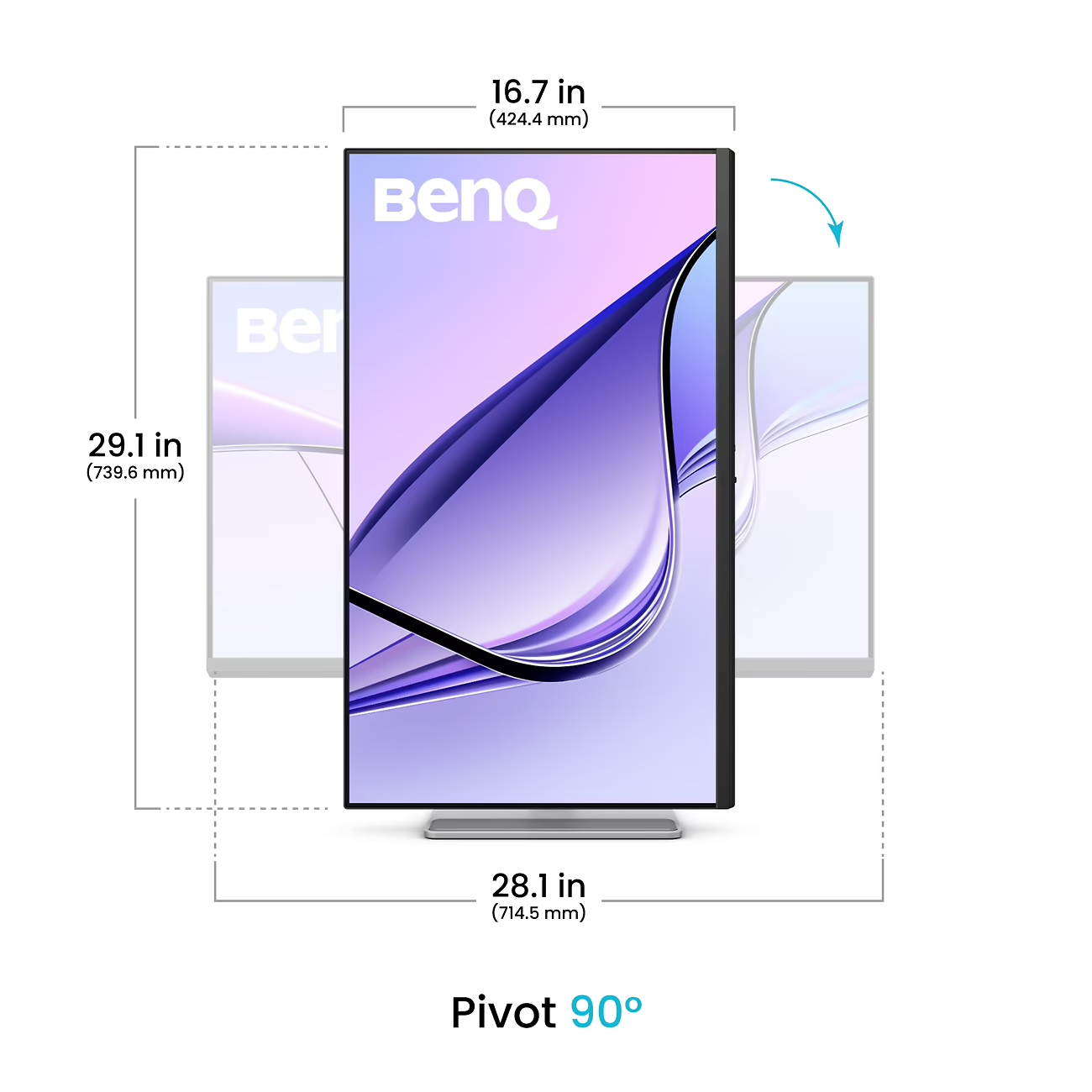
Ergonomics are also solid, with full height, tilt, swivel, and pivot adjustment, something that’s easy to overlook but makes a real difference over long sessions.
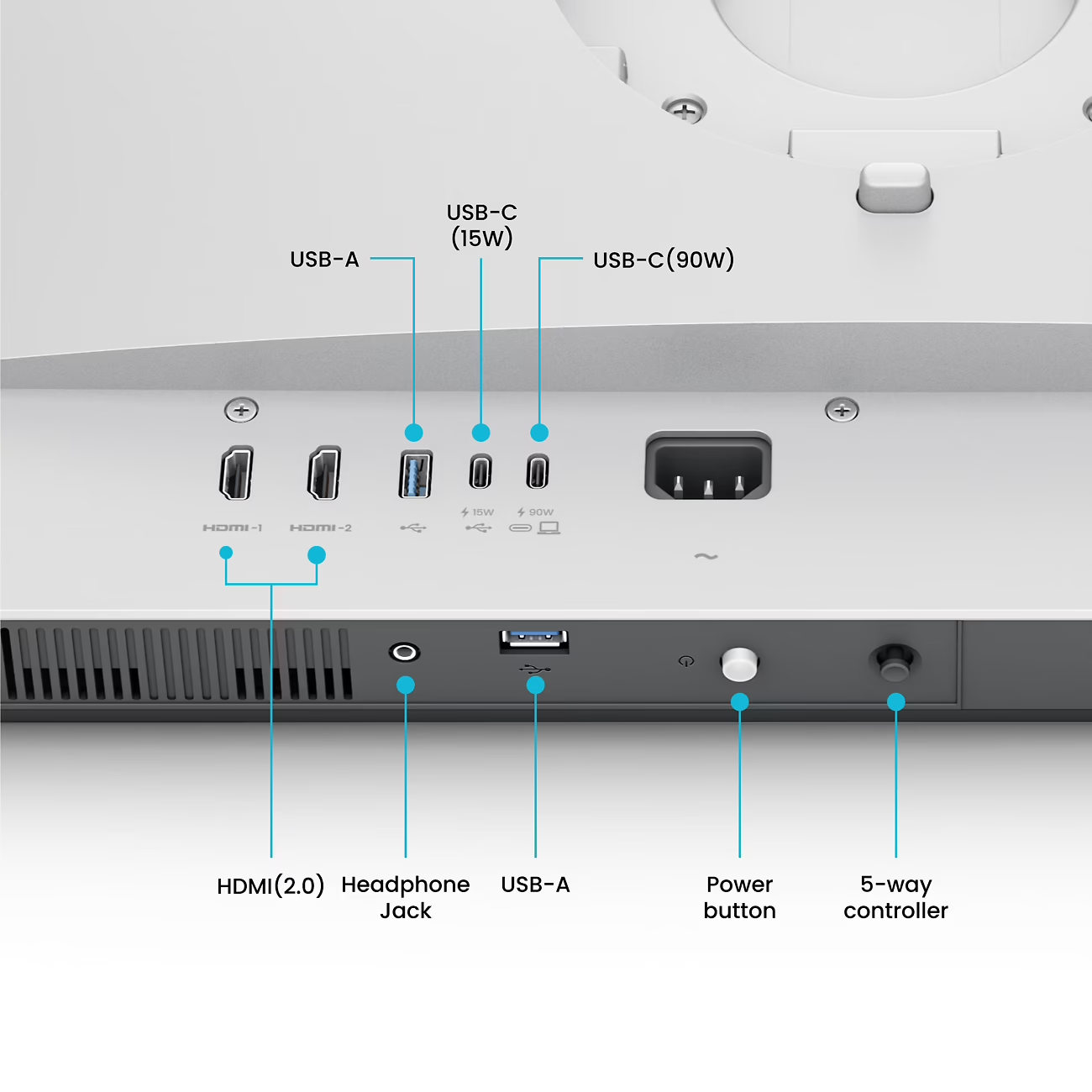
Connectivity is another strong point. Alongside dual HDMI inputs, the MA320U includes two USB-C ports, one handling display input and 90W charging, the other providing downstream power. Add in USB-A ports and audio out, and it functions effectively as a central hub for a desk setup.
This is especially valuable for laptop users. Being able to plug in a single cable and immediately gain power, display output, and peripheral connectivity is exactly the kind of frictionless experience this monitor is aiming for.
Stepping back, the MA320U makes the most sense when you stop evaluating it as an imaging monitor and start viewing it as a general-purpose display with above-average colour performance.
It gets a lot right:
The BenQ MA320U is a well-balanced monitor that succeeds by staying in its lane.
If you need uniformity correction, full gamut coverage, and hardware calibration, this isn’t the right tool (but it doesn’t pretend to be). The imaging limitations are real, and they do matter in professional contexts, but for users who want a large, capable 4K display for office work, content consumption, and occasional creative tasks (especially within a Mac ecosystem) it offers a very compelling mix of features, usability, and value.
Overall, it’s a very good everyday monitor with just enough imaging credibility to be genuinely useful, and at it’s competitive price, that’s exactly where it makes sense.
If you're interested in viewing it for yourself, we have a demo unit here in our office - just contact us to arrange a time for a viewing/demonstration.
The process of printing my files for the exhibition was made very simple with all the detailed information on the Image Science website. In particular the downloadable templates are a fantastic resource. I feel I have a pretty good basic knowledge about the printing process and pre-production but I am totally in awe of the knowledge and set up at Image Science. Printing with them I feel in safe hands and very happy with the final results.