How To Order Film Scans
Our online ordering system makes ordering film scans simple - once you know the steps, what you want to order, and what everything means.
So, here's our guide to the various steps for a succesful print order.
Quick Summary
It's a simple 5-step process to make your film scan order.
- Place your order online.
- Checkout (Shipping & Payment).
- Prepare you film.
- Get your film to us - post or drop off.
- Get your files & film back.
Each of these steps are separate, so we'll explain in more detail below.
The Detail
1. Make Your Order Online
The first thing you need to do is place your order online with our user friendly ordering interface that allows you to include comments as you go.
It's as simple as:
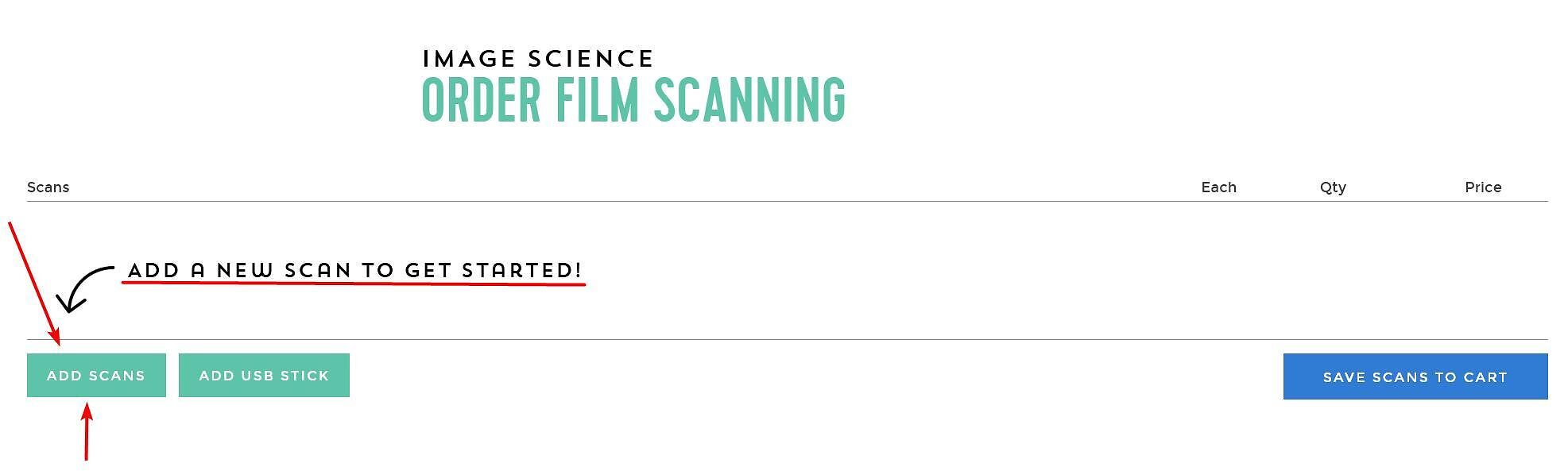
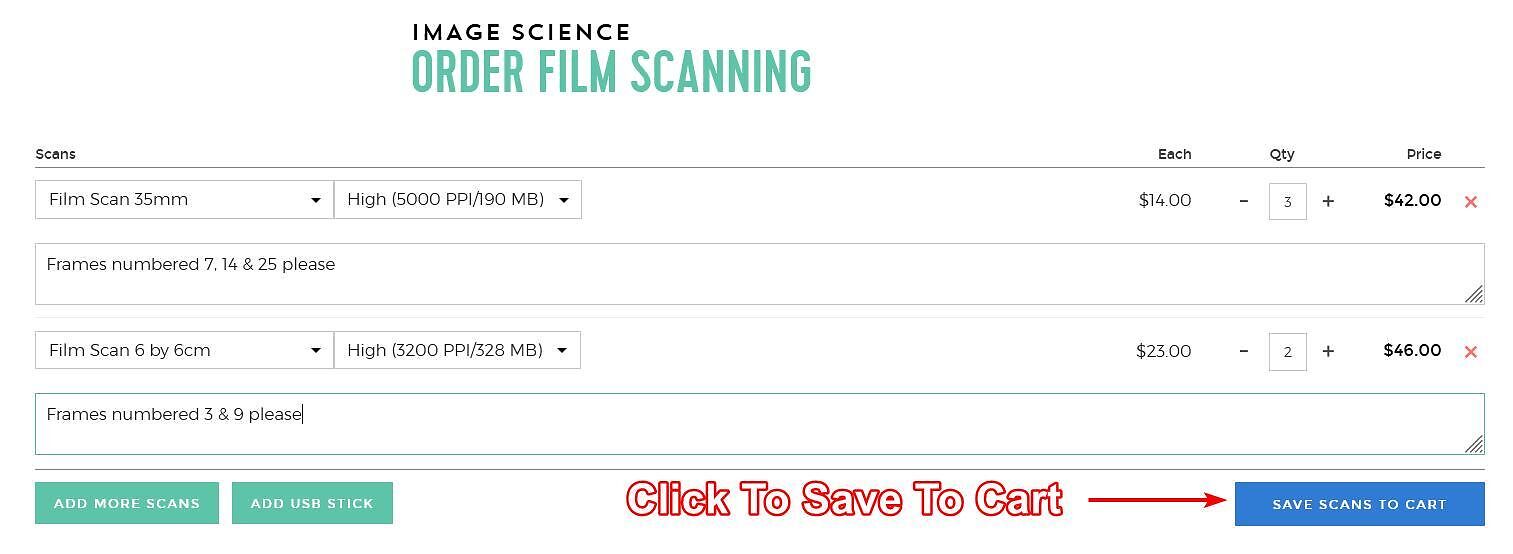
1. Clicking 'Add Scans' to get started.
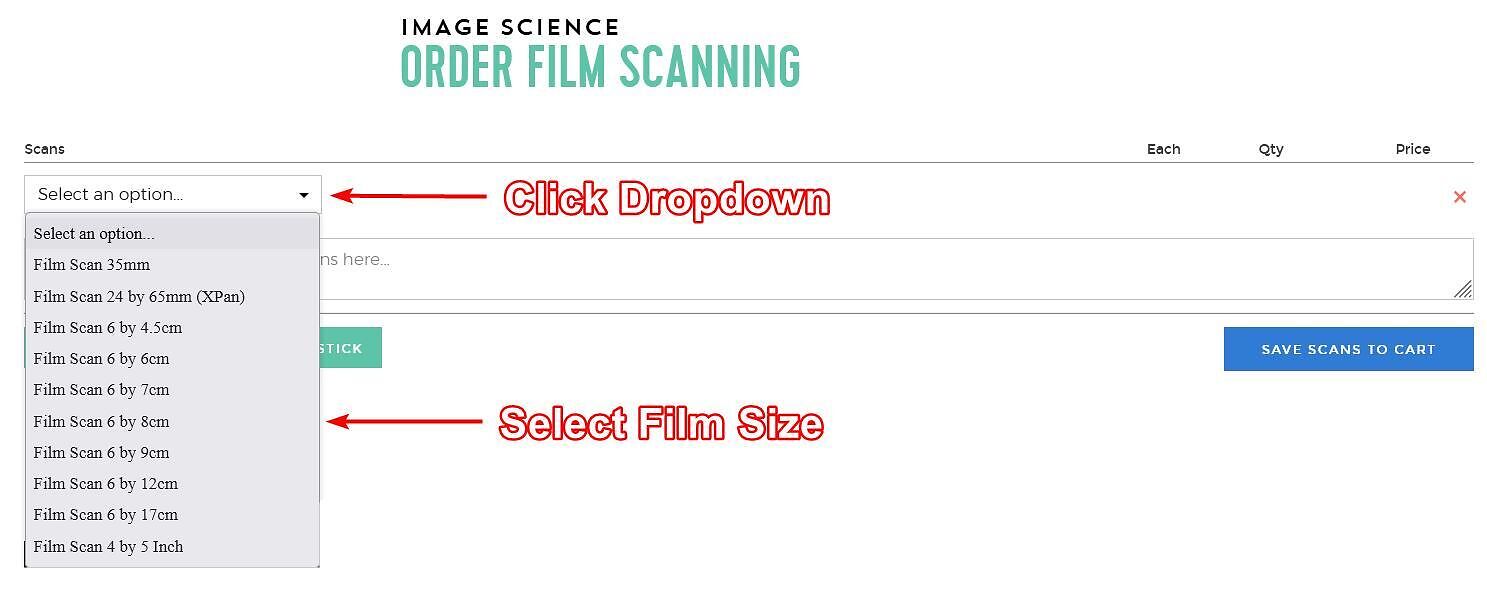
2. Choose your film size from the dropdown.
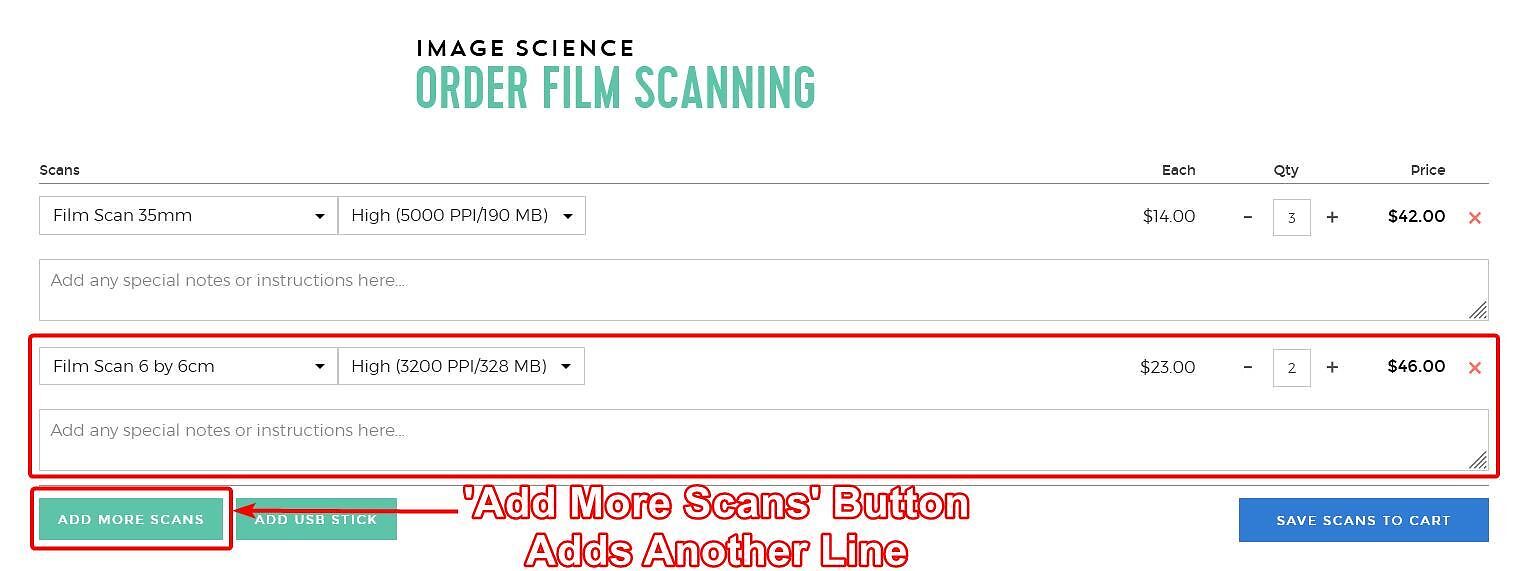
3. Changing the quantity if you want more than one frame scanned. We charge per frame.

4. If you have different sizes of film to be scanned, you can add them using the 'Add More Scans' button. Repeat the above process to select your film size and quantity.
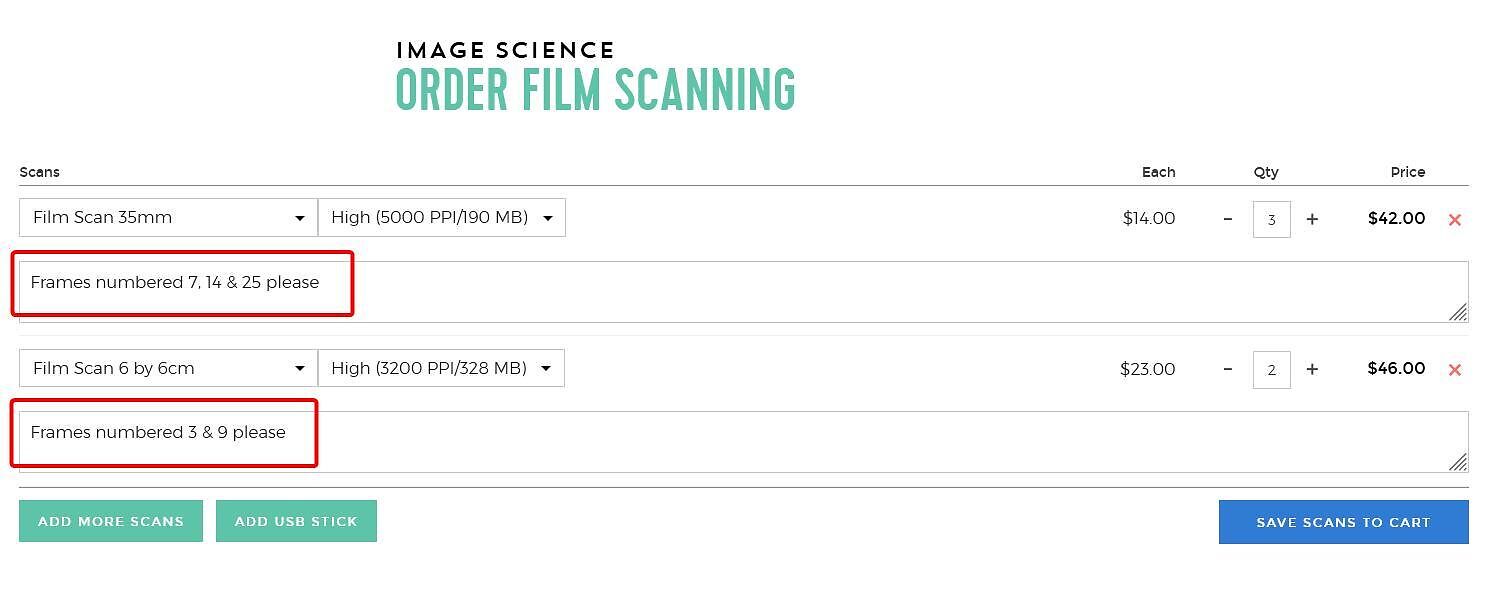
5. Feel free to pop a comment in about which frame numbers you want scanned (please list whichever number is most directly underneath the frame you want scanned).
6. Save to Cart
2. Checkout
The next is to proceed to your cart for checkout and to complete your details and payment.
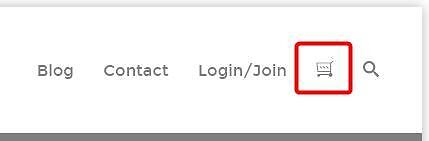
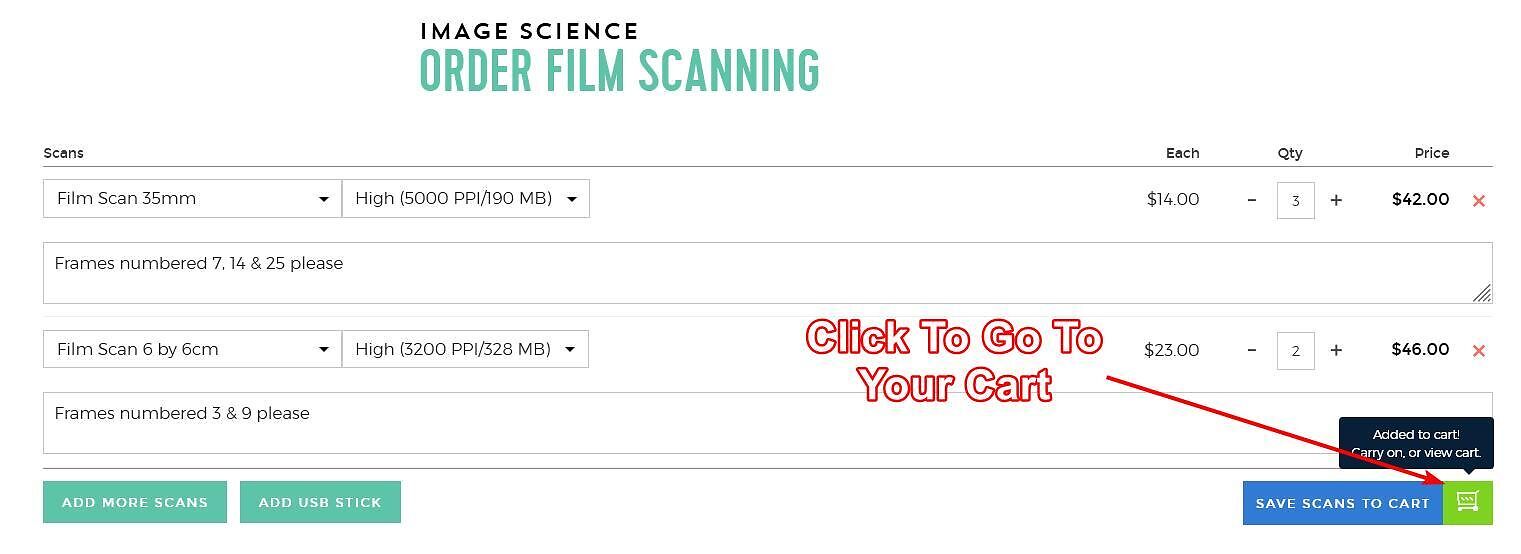
You can go to your cart using the button in the top right corner of the website, or using the little green button that pops us during the previous step when you click the 'Save Scans To Cart' button.
Double check the quantity and size of your scans is correct, then enter a postcode for pickup or shipping options (and rates).
Continue on by clicking 'Proceed to Checkout'. Here you can enter billing and shipping information, and proceed to payment.
3. Prepare Your Film
When scanning on the Imacon Flextight 949, we can only scan images towards the edges of short strips - so make sure your strips are:
- 35mm - 4 or less frames in length
- All medium
formats up to 6 by 12cm - 2 or less frames in length - 6 by 17cm and 4 by 5 inch - we require single frames
Singles for the smaller formats are OK too, although short strips are better. If you do cut your film to singles, leave as much rebate as you can around the
edges.
We do not accept uncut rolls of film. All film cutting is your responsibility, and your film must arrive to us ready to scan.
If sending your film to us please just send the film strips you
want scanned, flat and in plastic sleeves (i.e. not your whole film library!).
Be consistent and very clear about
which images you want scanned.
Make sure you pack your film well - most
of our clients
use stiff board, like foamcore, to keep their film flat, wrapped in
bubble
wrap and placed in a Postpak box.
4. Get Your Film To Us
Send your films to us via mail, or drop in to see us at our North Melbourne office. We have a secure and weather safe mail slot you can use if it's after hours (the opening of this is about 5cm by 30cm).
As above, make sure you supply your films in scan ready strips and pack them flat & securely to protect them from unexpected damage and of course always send film via a track-able service.
Our address is:
Image Science
95 Howard St
North Melbourne
Victoria 3051
Australia
5. Completion
Once we receive your film and your matching online order we start scanning. Our turnaround times are normally 2-4 days (for ~0 to 20 scans), but may be longer
based on our current workload or if you have a larger order.
Once your order has been completed, your scans will then be made available for download via a temporary cloud link. (For larger order please supply us with a USB stick or hard drive as appropriate).
Of course we will also notify you that your film is then ready to collect, or has been posted back, and provide the tracking details.