▪ We expect to start shipping these soon.
▪ Free Shipping - this product ships free!
▪ Get up to 20% off RRP in our Calibrite EOFY Sale! See here for sale details.
Please note that we are open by appointment only (except for click and collect pickups once notified ready).
ColorChecker Video comes with a colour & white balance target for video colour control from capture to edit.
Calibrite ColorChecker Video offers video colour control from capture to edit.
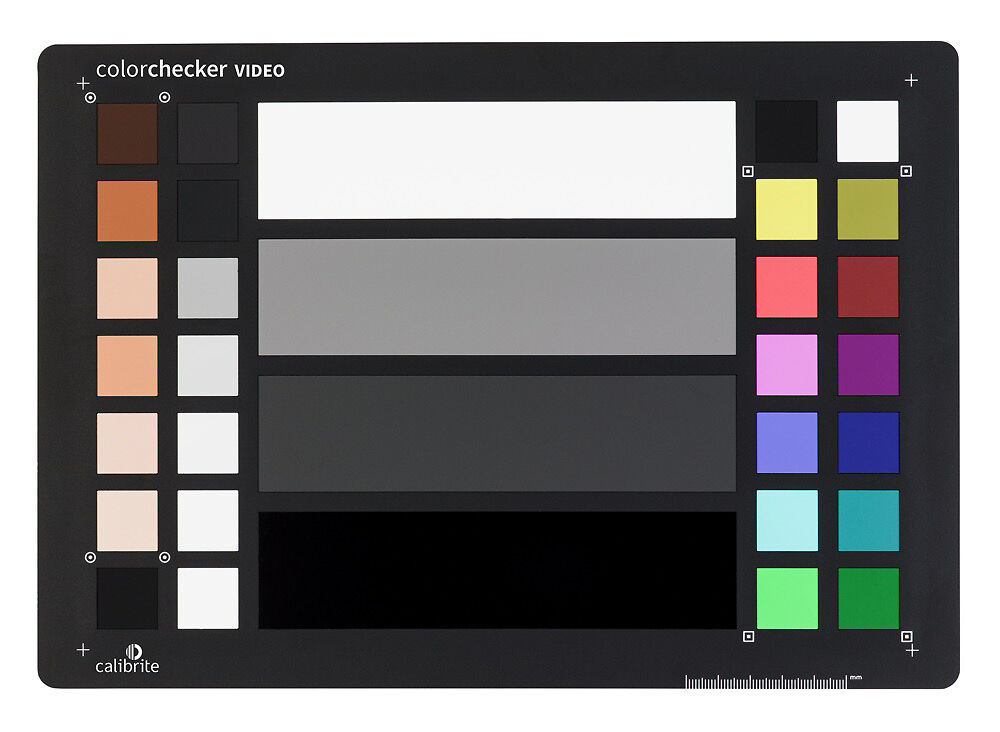
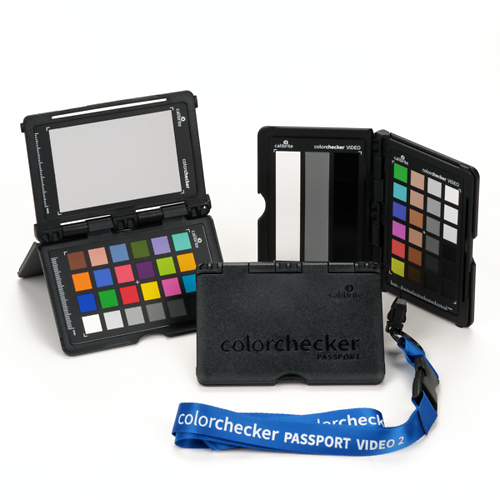
The ColorChecker Video offers colour balance and control for filmmaking – from shoot to edit, it is the same size as the original ColorChecker Classic at 215.9 x 279.4mm but specifically designed for video.
The Calibrite ColorChecker Video is the ideal colour chart for your video workflow. This two-sided target provides chromatic colour chips, skin tone chips, and grey reference chips on one side and a spectrally neutral white balance card on the other side. This colour target is perfect for pre-camera checks and wider shots.
The ColorChecker Video will get you to a worry-free colour balanced and consistently neutral place, with ideal camera exposure, faster than ever before – giving you more time to spend on your creative look. It’s an essential colour tool you won’t want to be without, saving you valuable time from capture to edit.
ColorChecker Video is a durable and rigid colour target, specifically intended for video production. It includes a video colour chart on one side and a large spectrally neutral white balance card on the flip side.
The ColorChecker Video Target includes:
Chromatic Colours
Six saturated and six de-saturated colour chips aligned with video production.
Skin Tones
Six colour chips from light to dark with different undertones.
Grey Levels
Four larger steps for even grey balance, including white, 40IRE grey, deep grey, and high gloss black reference patches.
Linear Grayscale
Six steps for even grey balance, including highlight and shadow regions.
Illumination Check Chips
Black and white colour chips at two corners to better assist in determining even illumination.
White Balance Target
Create in-camera white balance to start at a neutral point for all the footage you capture.
Use for a variety of applications, including:
ColorChecker Video charts make your workflow faster, more consistent, and more colour balanced. They allow everyone on your team – from producer to cinematographer to editor to colourist – to work with consistent colour information. They save you time, from pre-production through production, and help you get to your creative look faster.
Achieving the proper colour balance and exposure for video can be challenging. F-stops in cameras don’t always match. Ambient lighting conditions change. Multiple cameras and lenses have different looks, even if they are the same brand and model. All of this adds up to quality control challenges and increased workload in post-production for your colourist or editor.
Video Colour Target
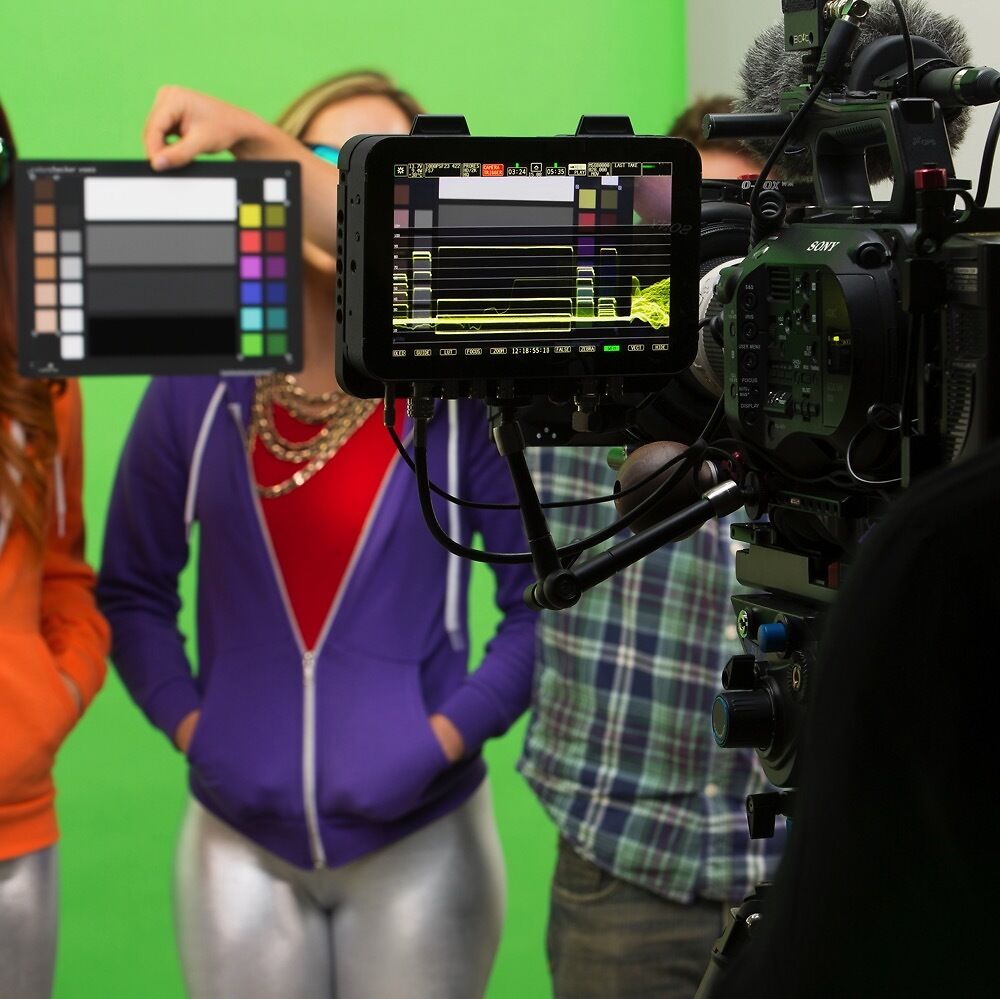
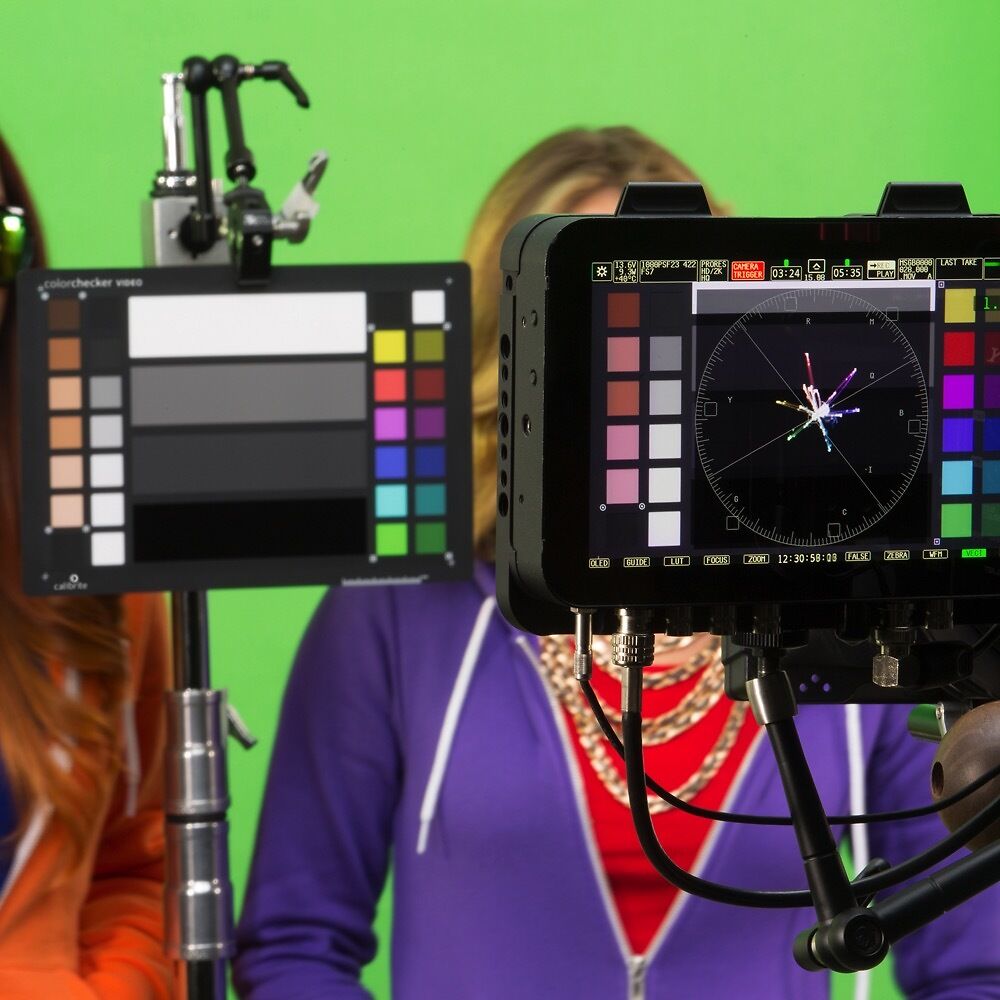
Speed up your colour grading workflow by achieving ideal exposure and colour balance, whether shooting with one camera or multiples. The colour chart includes a series of chromatic colour chips, skin tone chips, grey chips, and illumination check chips. The layout is designed for ideal performance when used with vectorscopes and waveforms, whether on-camera or in software.
Chromatic Colours
Two rows of six chromatic colour chips, both saturated and desaturated, specifically designed to align with the colour axis on a vectorscope. These colours provide two levels of colour information to more quickly achieve an ideal colour balance.
Skin Tones
Ranging from light to dark with subtle undertones to better reproduce accurate flesh tones. This row of chips is positioned on the outer edge of the target for easy alignment.
Large Grey Levels
Four larger steps for even grey balance, including white, 40IRE grey, deep grey, and high gloss black. These levels are ideal for determining proper exposure whether you use a waveform, zebras, or false colours. Use these levels to align the exposure and contrast of cameras you are matching and ensure that mid-tones are rendered accurately. These chips are positioned in the centre of the test target for maximum exposure, even on a wide set.
Linear Grayscale
Six colour chips for achieving even grey balance. This row addresses highlight and shadow regions.
Illumination Check Chips
Black and white chips at two corners to better assist in determining even illumination across the target.
White Balance Target
Starting with an accurate white balance ensures the colours you capture are true and provides a point of reference for post-shoot editing. The White Balance target found on the reverse side is a spectrally flat target that provides a neutral reference point across mixed lighting conditions that you encounter during a video shoot. Since the target reflects light equally across the visible spectrum, creating an in-camera custom white balance can properly compensate for varying lighting.
With this chart, you'll be able to:
“Why can’t I use just any white object for white balancing?”
White balancing on a piece of paper or other grey element in the scene may seem like a simple workaround, but most objects are not actually neutral under all lighting conditions, and they’re certainly not consistent. An inaccurate white balance will result in colour casts, and a lack of consistency between lighting conditions, making colour corrections extremely time-consuming.
Include ColorChecker Video targets in every shoot to make your video workflow faster, more consistent, more balanced, and repeatable. You’ll save time and money avoiding costly mistakes and frustrating colour corrections after the fact. Best of all, you’ll get to your creative look faster, which is ideal, because we all know how much you love being in your creative place.
3rd Party Software Support
ColorChecker Video is supported by 3rd party software solutions for improved colour grading and efficiencies.
Please note: Specifications are provided as a guide only.
We try very hard to keep these up to date and correct, but if a particular specification is really critical to you, then please double check the specification directly with the manufacturer.
To get more information about a particular specification, use the arrow to get a 'Specxplanation'.
Please Note:
We keep these details up to date to the best of our knowledge.
However if a particular item is of special importance to you please also check the manufacturer's listing for the product.
You will get:
Confused about something, or just want some human to human advice?
Send us a question about this product.
We answer all enquiries, and promptly too!
You're also very welcome to ring us on 03 9329 4522 if you prefer.
Note this form is for pre-purchase enquiries, or support enquiries if you have bought this product from us. If you have bought this product from another supplier then please contact that supplier for support.
At Image Science we support what we sell & we really mean that.
You're always welcome to email us for help - how to, technical support, troubleshooting, general tips - for the entire lifetime of the product.
With an unmatched track record for support, for more than 20 years in this industry, you can be sure we're not just a box moving store.
Image Science is an authorised Calibrite reseller. We've been selling and supporting Calibrite (formerly X-Rite) equipment since 2001.
The Calibrite warrantied period is a standard 12 months from date of purchase warranty.
Over the last two decades, we have found their products to be super reliable. (In particular, unlike some other brands, their monitor calibrators are built to last). Calibrite also have a very solid track record of long term software support for their devices.